Workflow Automation Solutions for Complex Business Operations
Automate approvals, handoffs, routing, and multi-step workflows across the systems you already use. Reduce manual work, improve consistency, and make complex processes easier to run at scale.









What workflow automation solutions really help you fix
Repetitive work spread across inboxes, spreadsheets, portals, CRMs, ERPs, and internal tools
Delays caused by manual approvals, disconnected systems, and unclear ownership between teams
Operational errors created by repeated data entry, inconsistent routing, and weak exception handling
Scaling pressure when process volume grows faster than the team or tooling behind it
Low visibility into what is blocked, what failed, and what still depends on human follow-up
Who workflow automation solutions are built for
This service is best suited for teams that already know their operations are being slowed down by manual process work and cross-system friction. It is especially useful when the business needs more than isolated scripts or one-off automations.
Quick fit check
Does your situation match?
Operations leaders with cross-system work
Teams coordinating across multiple tools, approvals, and handoffs without enough process visibility or control.
Platform teams supporting operational workflows
Teams where internal logic, admin workflows, and system coordination need to be more deliberate, reliable, and maintainable.
RevOps, finance, and back-office teams
When routing, approvals, and data movement are handled manually across systems, creating delays and inconsistent execution.
Support operations and service teams
Teams with repeated escalations, triage paths, or follow-up steps that need stronger routing and fewer manual gaps.
Scaling businesses past manual processes
Businesses that can no longer depend on team memory, inbox management, and spreadsheets to keep important workflows moving.
Workflow automation lessons from real delivery work
These case studies show the kind of environments where workflow automation matters most: products and operations with repeated steps, multi-system coordination, and real execution pressure.

Brim Living (Brimming): Agentic AI for Real-World Growth
Brim Living’s Brimming app blends agentic AI and human expertise to help people build habits, stay motivated, and act on personalized recommendations—turning intention into lasting behavior change.
View case study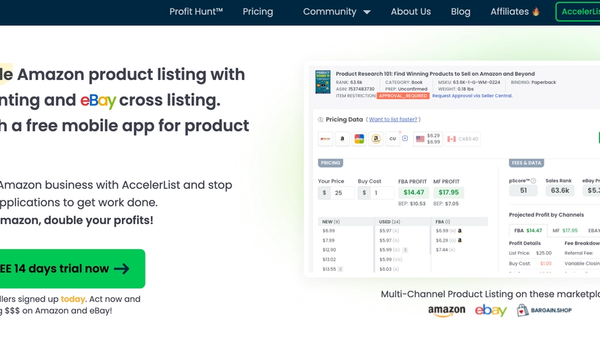
AccelerList — List Faster, Reprice Smarter, Sell on Amazon & eBay
Amazon listing, repricing, and accounting in one tool—plus seamless eBay cross-listing with inventory sync to expand reach without extra busywork.
View case study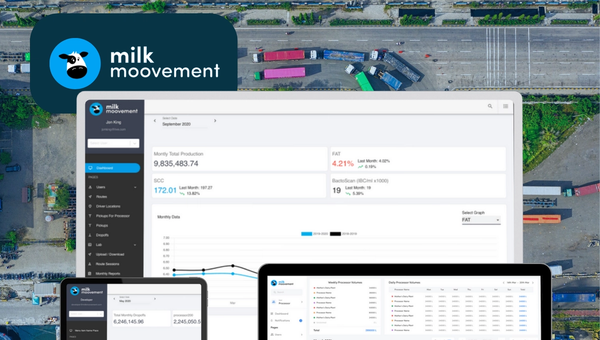
Milk Moovement: The Operating System for Modern Dairy Co-ops
Milk Moovement is a cloud platform that gives dairy co-ops a real-time command center—from farm pickup to plant intake. It streamlines routing and scheduling, unifies quality and volume data, and automates complex payments, replacing spreadsheets with a single source of truth. The result: fewer miles, faster payouts, and smarter decisions across the dairy supply chain.
View case studyWhy workflow automation moves from idea to priority
Workflow automation usually becomes urgent when manual work starts affecting speed, quality, and operating leverage.
Process volume has increased faster than the team can handle
As transaction volume, internal requests, or operational complexity grows, manual handling becomes harder to sustain without delays, errors, or inconsistent execution.
Tool sprawl is creating more work instead of less
Businesses buy this now when teams are working across too many disconnected systems and the cost of moving information between them keeps rising.
Approval bottlenecks are slowing execution
When business-critical workflows depend on manual routing, inbox follow-ups, or unclear decision ownership, automation becomes a practical way to improve flow without adding unnecessary overhead.
Leadership needs better visibility into workflow health
This becomes a priority when teams cannot easily see what is blocked, what failed, which steps still depend on humans, or where operational waste is building.
AI interest needs to turn into controlled execution
Many teams are exploring AI, but they still need workflows that are reliable, reviewable, and tied to real systems. That is where structured automation work becomes commercially relevant.
The workflow problems this service is designed to solve
Workflow automation is most useful when the business is dealing with operational friction that shows up repeatedly, across teams, and across systems.
Manual handoffs between teams and tools
Work stalls when important steps depend on someone remembering to forward, update, copy, or assign the next action manually.
Repeated data entry across disconnected systems
The same information often gets entered in multiple places, which wastes time and increases the risk of mismatches, missed updates, and downstream rework.
Approval flows that are slow or inconsistent
Approvals become a bottleneck when the routing logic is unclear, too dependent on inbox behavior, or not visible enough for teams to manage confidently.
Weak exception handling in important workflows
Many processes work only when everything goes right. Problems appear when exceptions, missing data, or failed steps are not surfaced clearly or handled in a structured way.
Low visibility into process status and ownership
Teams often struggle to answer basic workflow questions such as what is pending, what failed, who owns the next action, and where the real bottlenecks are.
Operations that become brittle as the business grows
Processes that feel manageable at lower volume often break down when complexity, team size, or workflow volume increases faster than the systems behind them.
Sounds familiar? We have helped teams turn fragmented manual processes into structured, reliable workflows that scale with the business.
What BitBytes workflow automation solutions actually do
Workflow automation solutions are designed to make repeated business processes easier to run, easier to track, and less dependent on manual coordination.
Workflow discovery and process redesign
The first goal is to understand how the workflow actually works today, where it breaks, what systems are involved, and which steps should stay manual, become rules-based, or include human review.
Integration-led automation across business systems
BitBytes connects the tools involved in the workflow so data, decisions, and actions can move more reliably across CRMs, ERPs, portals, inboxes, databases, support systems, and internal tools.
Routing, approvals, and exception handling
The service helps define triggers, business rules, approvals, retries, escalation paths, and failure handling so the workflow remains usable under real operating conditions.
Monitoring, support, and iteration after launch
Good automation does not stop at implementation. The workflow needs visibility, documentation, and ongoing refinement so the business can keep improving it as requirements change.
How workflow automation delivery typically works
The process is designed to move from workflow understanding to controlled implementation, then into post-launch support and refinement.
Audit the current workflow and operating constraints
Map the existing process, systems, approval logic, handoffs, edge cases, and failure points so the real workflow can be understood before anything is automated.
Define triggers, decision points, and human review boundaries
Clarify what starts the workflow, where business rules apply, where approvals are required, and which steps should remain human-in-the-loop.
Design the orchestration and system integrations
Structure how the workflow should run across tools, what data needs to move, how state is managed, and how exceptions should be surfaced.
Build the workflow logic and operational interfaces
Implement the workflow using the right mix of orchestration, APIs, internal tooling, dashboards, alerts, and supporting admin controls.
Test failure paths, edge cases, and launch readiness
Validate the workflow against realistic operational conditions, including bad inputs, missing data, retries, approval delays, and downstream system issues.
Launch, monitor, and improve the workflow over time
Track workflow health after release, review issues and process drift, update documentation, and refine the logic as the business evolves.
Delivery Outcomes
Where workflow automation solutions are often the best fit
This work is especially useful in process-heavy environments where business operations depend on structured handoffs, data movement, and repeated decisions across systems.
Ecommerce and marketplace operations
These environments often rely on repeated operational workflows, admin steps, status changes, and system coordination that become harder to manage manually as volume grows.
SaaS operations and internal platform workflows
Workflow automation supports internal process reliability when product, support, operations, and admin work depend on connected systems and clear execution logic.
Supply chain and logistics coordination
This is relevant where timing, status visibility, exceptions, and multi-party handoffs matter and where process gaps can create operational friction quickly.
Finance and back-office administration
Approvals, document routing, reconciliations, structured reviews, and recurring admin workflows are often strong candidates for better automation design.
Support operations and service delivery teams
This helps when escalation paths, intake, triage, internal coordination, and follow-up workflows need stronger routing and better visibility.
What better workflow automation should improve
Good workflow automation should produce business outcomes that are visible in daily operations.
Faster workflow execution
Teams spend less time moving work manually between steps, which helps processes move with fewer avoidable delays.
Fewer operational errors
Reducing repeated manual handling lowers the risk of inconsistent updates, missed steps, and data mismatches across systems.
Clearer process ownership
Defined routing and workflow logic make it easier to understand who owns the next action and where responsibility changes hands.
Better visibility into process status
Teams and leaders can see what is blocked, what failed, what needs review, and where workflow issues are accumulating.
Lower manual workload on critical teams
Automation removes repeated low-value handling so teams can focus more on exceptions, decision-making, and higher-value work.
More reliable scaling as process volume grows
Workflows become easier to operate under higher volume because they rely less on memory, manual coordination, and inconsistent execution habits.
Who this is best suited for and where it is not the right fit
Best fit
Not the right fit
Teams managing repeated multi-step workflows across several systems
Businesses looking for a generic automation package without defined workflow priorities
Operations that depend on approvals, routing, handoffs, or exception handling
Teams that only need one simple task automated and do not need workflow redesign
Buyers who want practical implementation, integration depth, and post-launch support
Buyers expecting guaranteed ROI numbers or instant transformation without process change
Businesses that need controlled rules-based automation, AI-assisted automation, or a hybrid model
Organizations unwilling to document workflows, define ownership, or support rollout changes
How the workflow automation delivery stack is typically structured
The technical approach should explain how the workflow functions, not just list tools.
Intake and trigger layer
This layer handles the events or inputs that start the workflow, such as form submissions, portal actions, inbox events, support tickets, document uploads, webhooks, or scheduled tasks.
Workflow orchestration layer
The orchestration layer manages sequencing, routing, retries, approvals, state changes, and multi-step execution.
Business rules and AI decision layer
This layer applies business logic, routing rules, classification steps, or AI-assisted decision support where it is justified.
Integration and API layer
This connects CRMs, ERPs, databases, support tools, internal systems, file stores, portals, spreadsheets, and other services.
Data and document layer
Important workflow context often lives in databases, structured records, documents, audit logs, or internal knowledge sources.
Observability and exception handling layer
Monitoring, alerts, dashboards, error capture, retry logic, and failure handling.
Security, governance, and delivery base
This includes access control, environment setup, documentation, testing, release management, and the delivery foundation.
Frequently Asked Questions
Frequently asked questions about workflow automation solutions
Start with the workflow that is creating the most operational friction
The best next step is usually to look at one important workflow, understand where it is breaking down, and decide whether the right answer is process redesign, better integrations, structured automation, or a hybrid approach.
Book a Discovery Call
with a Workflow Automation Specialist