

Your support team is drowning in tickets. Your CSAT scores are slipping. And the gap between what customers expect and what your team can deliver keeps widening.
AI customer support platforms promise to fix that, but the market has exploded. Dozens of vendors now claim to "resolve 80% of tickets autonomously" (vendor-reported), and most of those claims crumble under scrutiny. This guide cuts through the noise. We tested, researched, and verified five platforms built specifically for B2B SaaS and enterprise support teams, then documented exactly what each one does well, where it falls short, and what it actually costs.
If you are a founder, CTO, or product manager choosing a support stack in 2026, this is the comparison you need before signing a contract. For a broader look at how AI support agents work under the hood, start there first.
Struggling to pick the right AI support stack for your SaaS? BitBytes helps B2B teams evaluate, compare, and implement AI tools that actually fit their workflows. Talk to our team for a free consultation on your support automation strategy.
Table of Contents
| Feature | Pylon | Decagon | DevRev | LorikeetCX | Hiver |
|---|---|---|---|---|---|
| Starting Price | $59/seat/mo | ~$50K/yr platform fee | $19.99/user/mo | ~$0.80/resolution | Free (paid from $25/user/mo) |
| Pricing Model | Per-seat | Custom/per-conversation | Per-user + AI usage | Per-resolution | Per-seat + AI add-on |
| Best For | Slack-first B2B teams | Enterprise high-volume | Dev-support alignment | Regulated industries | Gmail-native teams |
| G2 Rating | 4.9/5 | 4.9/5 | 4.4/5 | Not yet rated | 4.6/5 |
How We Evaluated These Tools
We did not just scan feature lists. Every platform on this list went through a structured evaluation process designed for how B2B SaaS teams actually buy support tools. We used a framework similar to our buyer's evaluation checklist to keep scoring consistent.
Our evaluation criteria included:
- AI resolution quality. Can the AI agent actually close tickets end-to-end, or does it just suggest replies and hand off? We looked at whether each platform offers autonomous resolution, agent assist, or both.
- Channel coverage. B2B support happens across email, Slack, chat widgets, voice, and increasingly WhatsApp and SMS. We mapped which channels each tool natively supports versus which require third-party integrations.
- Pricing transparency. We verified every pricing figure against live pricing pages and third-party sources. Hidden costs, seat minimums, and AI add-on fees are flagged explicitly.
- Integration depth. Does the tool connect to your CRM, engineering tools, and knowledge base without custom development? We prioritized platforms with native integrations over those requiring middleware.
- Fit for B2B workflows. Consumer support tools handle one-off tickets. B2B support requires account context, escalation paths, SLA tracking, and often multi-stakeholder conversations. We evaluated each tool against these specific needs.
- Limitations and trade-offs. Every tool has weaknesses. We sourced downsides from G2 reviews, community feedback, and documented feature gaps rather than relying on vendor marketing.
Why only five tools? The AI customer support market has 50+ vendors. We narrowed to five that are purpose-built for B2B SaaS, have verifiable pricing or contracts, and serve meaningfully different segments. This is not an exhaustive directory; it is a curated shortlist for decision-makers.
1. Pylon
What It Does
Pylon is an AI-native B2B support platform built around the idea that modern B2B support happens in Slack channels, not just email inboxes. It unifies customer conversations from Slack Connect, Microsoft Teams, email, in-app chat, WhatsApp, Telegram, Discord, and SMS into a single support hub.
The platform layers AI Agents and AI Assistants on top of this omnichannel foundation, allowing teams to deflect routine questions, auto-route issues, and surface account context without switching tools.
Why Teams Use It
Slack-first B2B support is Pylon's defining advantage. If your customers already communicate through shared Slack channels, Pylon eliminates the friction of asking them to switch to a support portal or email address.
- Unified Slack tracking. Pylon pulls issues from public channels, private channels, and Slack Connect channels into one ticketing view.
- Account-level context. AI Agents have full account context, so responses reflect the customer's plan, history, and open issues.
- Multi-channel without fragmentation. A customer can start a conversation in Slack, continue over email, and your team sees the full thread in one place.
- Knowledge base training. AI Agents train on your existing docs and knowledge base, improving accuracy over time.
Best Fit / Not a Fit
Best fit for:
- B2B SaaS companies with 50 to 500 customers using Slack Connect
- Teams that want to consolidate Slack, email, and chat into one support platform
- Companies with 3+ support agents who need workflow automation
Not a fit for:
- Teams that need a free tier to get started (no free plan available)
- Solo founders or very small teams (3-seat minimum on Starter)
- Companies where most support happens over phone (phone is a paid add-on)
Key Capabilities
- Omnichannel inbox. Slack, email, in-app chat, WhatsApp, Telegram, Discord, SMS, and Microsoft Teams (Enterprise tier).
- AI Agents. Autonomous resolution of routine requests with escalation to human agents for complex issues. For a wider look at the leading AI support agents, see our full roundup.
- AI Assistants. Draft suggestions, intelligent routing, and in-Slack deflection.
- Workflow automation. Rule-based and AI-powered automations for ticket routing, SLA enforcement, and notifications.
- Customer portal. Self-service portal for customers (Enterprise tier only).
- Analytics and reporting. Built-in analytics with custom reporting available on Enterprise.
- Broadcasts. Send updates to customers across channels (Professional tier and above).
Pricing
Pylon uses per-seat pricing across three tiers, all requiring annual billing:
- Starter: $59/seat/month (annual). Includes support inbox, email, chat widget, ticket forms, and knowledge base. 3-seat minimum.
- Professional: $89/seat/month (annual). Adds Slack, Telegram, WhatsApp connectors, broadcasts, integrations, automations, analytics, API access, and view-only seats. 3-seat minimum.
- Enterprise: $139/seat/month (annual). Adds Microsoft Teams, customer portal, custom reporting, data warehouse integrations, RBAC, and custom MSAs. 7-seat minimum.
Add-on costs to watch:
- Phone support: +$35/seat/month
- AI Assistants Premium: +$50/seat/month
- AI Agents: Starting at $100/month, scaling with issue volume
- Account Intelligence Premium: $10/customer account/month (50-account minimum)
Pricing reality check: AI is not included in any Pylon base tier. A Professional team of 5 agents wanting AI Assistants and AI Agents would pay roughly $89 x 5 + $50 x 5 + $100 = $795/month minimum, or approximately $9,540/year before phone or Account Intelligence add-ons.
Free Tier?
No. Pylon does not offer a free plan or standard free trial. A limited free base tier exists for AI Assistants and Account Intelligence with heavily capped features, but the core support platform requires a paid plan. All tiers require annual billing commitments.
Downsides / Limitations
- AI sold separately. AI Agents and AI Assistants are paid add-ons, not included in base pricing. This adds meaningful cost to the total.
- Complex onboarding. G2 reviewers note that initial setup and configuration can feel overwhelming, particularly for smaller teams.
- Customization friction. Users report that customizing workflows and views sometimes requires workarounds rather than straightforward configuration.
- Seat minimums and annual lock-in. The 3-seat minimum (7 for Enterprise) and mandatory annual billing remove flexibility for teams that want to start small or test month-to-month.
- Weaker API. Multiple reviewers flag the API as less mature than the rest of the platform, limiting custom integrations.
2. Decagon
What It Does
Decagon is an enterprise-grade AI customer support platform built for high-volume organizations. Its core innovation is Agent Operating Procedures (AOPs), a proprietary system that lets non-technical teams define complex support workflows in plain language while maintaining the precision of coded logic.
The platform handles support across chat, email, voice, and SMS, with AI agents that can take real actions in your systems (processing refunds, updating records, escalating to specialists) rather than just suggesting replies. If you are weighing whether to build or buy your support AI, Decagon represents the high-end buy option.
Why Teams Use It
Decagon is built for scale and complexity. It targets organizations processing thousands of support interactions daily where AI needs to do more than answer FAQs.
- Agent Operating Procedures. AOPs let CX teams teach AI agents the same way they would onboard a new teammate, using natural language with built-in guardrails. Teams continuously update AOPs based on conversation analytics.
- Action-taking agents. Decagon agents can execute real actions: process refunds, update CRM records, modify account settings, and route to specialists, not just retrieve information.
- Watchtower QA. Built-in monitoring that reviews every AI conversation for quality, accuracy, and policy compliance.
- Voice support. Launched in 2025, Decagon Voice handles inbound calls using the same AOP logic, with sub-second response time (vendor-reported). Outbound calling became available with the Spring 2026 proactive agents release.
Best Fit / Not a Fit
Best fit for:
- Enterprise and mid-market companies with 10,000+ monthly support interactions
- Organizations in regulated industries (banking, airlines, telecom, retail) that need deterministic AI behavior
- Teams with dedicated CX operations staff who can build and maintain AOPs
- Companies with $50K+ annual budget for support tooling
Not a fit for:
- Startups or SMBs with fewer than 5,000 monthly tickets (the $50K annual minimum prices them out)
- Teams that want self-serve pricing or month-to-month contracts
- Companies looking for a quick plug-and-play solution (Decagon requires a 60 to 90-day implementation cycle)
Key Capabilities
- Agent Operating Procedures (AOPs). Plain-language workflow definitions that combine flexibility with deterministic logic.
- AOP Copilot (Duet). Released March 2026, assists CX teams in drafting and refining AOPs with AI suggestions.
- Agent Versioning. CI/CD-style version control for agent configurations; roll back if new changes degrade performance.
- Simulations. Test workflows with AI-generated mock personas before deploying changes to production.
- Agent Workbench. Launched Spring 2026, adds autonomous debugging and root-cause analysis for agent behavior.
- Trace View. Surfaces exactly how a specific AOP executed for a given interaction, providing full transparency.
- Omnichannel support. Chat, email, voice, and SMS with consistent AOP logic across all channels.
- Agent assist. Draft responses and content sourcing for human agents handling escalations.
Pricing
Decagon does not publish pricing. All contracts require a sales process and custom quote.
- Platform fee: $50,000/year before any usage charges. Covers platform access, all channels, integrations, AOPs, Watchtower QA, testing tools, and analytics.
- Usage pricing: Per-conversation (default) or per-resolution model. Voice costs more than chat.
- Median contract value: Approximately $386,000/year according to third-party marketplace data, with a range of $95,000 to $590,000+ (Vendr data).
Cost factors that shape your quote:
- Monthly ticket/conversation volume
- Channel mix (voice interactions cost more)
- Integration complexity and number of connected systems
- Whether you choose per-conversation or per-resolution billing
Free Tier?
No. No free plan, no free trial, and no self-serve signup. Entry requires a sales conversation and a minimum $50,000 annual commitment.
Downsides / Limitations
- Extreme price floor. The $50K annual minimum and median $386K contract puts Decagon out of reach for most SMBs and early-stage startups.
- No pricing transparency. Without published pricing, budget planning requires a sales cycle before you can even model costs.
- Young product gaps. G2 reviewers note basic user roles and permissions, shallow audit logs (improving), and limited filtering capabilities.
- Long implementation timeline. Plan for 60 to 90 days from contract signing to production deployment.
- Per-conversation billing risk. On the default per-conversation model, you pay for every interaction, including ones the AI fails to resolve.
3. DevRev
What It Does
DevRev is a platform that unifies customer support and product development in a single system powered by a shared knowledge graph. Unlike standalone support tools, DevRev connects customer tickets directly to engineering tasks, feature requests, and product roadmaps, so both support and engineering teams work from the same data.
The platform includes its own AI engine (Turing) and a customer-facing self-service widget (PLuG) that can deflect routine queries before they become tickets.
Why Teams Use It
DevRev's differentiator is the support-to-engineering feedback loop. For product-led SaaS companies, the gap between "customer reported a bug" and "engineering knows about it" is often days or weeks. DevRev eliminates that gap.
- Unified knowledge graph. Links customers to tickets, tickets to product features, features to engineering tasks, conversations, and documentation. AI has a 360-degree contextual view of every interaction.
- Support-to-engineering pipeline. Customer-reported issues link directly to engineering tickets. Both teams share a single view of every problem without manual syncing.
- Turing AI engine. Automatically replies to user queries by searching your knowledge base, past tickets, and engineering updates. Can resolve conversations or route to the right team.
- PLuG self-service widget. A GPT-powered bot embedded in your product that deflects repetitive queries using semantic search and AI-generated answers. This kind of widget is one example of how chatbots differ from full AI agents in practice.
Best Fit / Not a Fit
Best fit for:
- Product-led SaaS companies where support and engineering need tight alignment
- Teams that want CRM, support ticketing, and product management in one platform
- Companies in the 20 to 200 employee range looking for a unified system rather than a stack of point solutions
- Organizations that want AI built into the platform rather than sold as add-ons
Not a fit for:
- Enterprise teams that need mature, deeply configurable support workflows (DevRev is still maturing in this area)
- Companies that only need a support tool and have established product management tooling they do not want to replace
- Teams that need extensive phone/voice support (DevRev's voice capabilities are limited; consider dedicated voice agent platforms instead)
Key Capabilities
- Turing AI agent. Two modes: suggestion (drafts for human review) and auto-response (autonomous resolution). Draws on knowledge base articles, QA pairs, past tickets, and engineering context.
- PLuG widget. Customer-facing self-service with semantic search, AI answers, announcements, and customizable appearance.
- Knowledge graph. Connects all data sources into an interconnected network: customers, tickets, features, code commits, deployments, and documentation.
- Product development integration. Feature requests, bugs, and engineering tasks tied directly to customer conversations.
- Workflow automation. AI-powered automations that trigger actions across systems based on ticket context, customer segment, or sentiment.
- Multi-channel support. Email, chat widget, Slack, and web portal. Slack and Microsoft Teams connectors available.
- SOC 2 compliance. Enterprise-ready security and audit capabilities.
Pricing
DevRev offers tiered pricing across Support and Build product lines:
Support plans:
- Starter: $19.99/user/month. Includes conversational interface, basic automation, and connectors.
- Pro: $59.99/user/month. Adds advanced features. Exact feature breakdown not publicly detailed.
- Ultimate: Custom pricing. Full enterprise feature set.
Build plans (product development):
- Starter: $9.99/user/month
- Pro: $24.99/user/month
- Ultimate: Custom pricing
AI costs:
- First 100 AI deflections are free on paid Support plans.
- Additional deflections cost $50 per 100 after the free allowance.
Important note: DevRev does not publish full Pro or Ultimate pricing breakdowns on its website. For a mid-market team running Support Pro with moderate AI deflection volume, expect annual costs in the $10K to $100K+ range depending on team size and usage.
Free Tier?
Yes, with limits. DevRev offers a free "Mini" plan during its open beta period. It includes the conversational interface, org-wide search, basic automation, and connectors for Slack, Notion, Jira Cloud, Google Drive, and Microsoft Teams. This is a functional starting point for small teams evaluating the platform.
Downsides / Limitations
- Feature maturity. G2 reviewers consistently note that DevRev is still building out its feature set. Search functionality, recording options, and certain workflow capabilities are flagged as underdeveloped.
- Pricing opacity at higher tiers. Pro and Ultimate pricing is not published, which makes budget planning difficult for mid-market buyers.
- AI deflection costs can escalate. At $50 per 100 deflections, high-volume teams may face significant AI usage bills beyond the initial free allowance.
- Platform complexity. Because DevRev combines CRM, support, and product management, teams that only need a support tool may find the platform unnecessarily complex.
- Smaller ecosystem. With 196 G2 reviews versus thousands for established competitors, the user community and third-party integration ecosystem is still growing.
4. LorikeetCX
What It Does
LorikeetCX is an AI customer support agent built specifically for businesses where getting the answer wrong has consequences. The platform resolves multi-step tickets end-to-end across voice, chat, email, SMS, and WhatsApp using a single workflow engine, with full audit trails that compliance and security teams can replay step by step.
Its "Team of Agents" architecture lets multiple specialized AI agents collaborate in real-time on complex issues, and it charges per resolution rather than per seat.
Why Teams Use It
LorikeetCX is purpose-built for regulated and high-stakes support environments. Fintech, healthtech, insurance, and other regulated industries need AI agents that can take real actions in their systems while maintaining deterministic control and audit compliance.
- Per-resolution pricing. You pay only when the AI actually resolves a ticket. Escalations to humans are never charged. The customer defines what counts as a resolution.
- Audit-trail compliance. Every action the AI takes is logged and replayable, meeting requirements for regulated industries.
- Action-taking agents. LorikeetCX agents can read and write CRM records, process transactions, and route cases, not just suggest replies.
- API-first architecture. If a system has an API, LorikeetCX can connect to it. The vendor reports that most integrations do not require custom engineering work.
Best Fit / Not a Fit
Best fit for:
- Fintech, healthtech, insurance, and other regulated industries
- Companies that need deterministic AI behavior with full audit trails
- Teams that want outcome-based pricing aligned to actual AI performance
- Organizations already on Salesforce Service Cloud or similar enterprise CRMs
Not a fit for:
- Small B2B SaaS teams with low ticket volumes (the per-resolution model needs volume to deliver ROI)
- Companies looking for a self-serve platform they can set up in a day
- Teams that need a shared inbox tool first and AI second (LorikeetCX is AI-first)
Key Capabilities
- Team of Agents. Multiple specialized AI agents collaborate in real-time to resolve complex, multi-step issues.
- Omnichannel resolution. Chat, email, voice, SMS, and WhatsApp on a single workflow engine.
- Coach analytics. Released 2026, Coach reviews every ticket (human, AI, or both), surfaces why performance metrics are trending up or down, proposes fixes, and can implement approved changes automatically.
- Deterministic control. Combines AI flexibility with rule-based precision for workflows where errors have real consequences.
- Full audit trail. Every agent action logged and replayable for compliance review.
- CRM integration. Deep integration with Salesforce Service Cloud and other enterprise CRMs.
- API-first connectivity. Connects to any system with an API without requiring custom code in most cases (vendor-reported).
Pricing
LorikeetCX uses per-resolution pricing:
- Chat, email, SMS resolutions: ~$0.80 per resolution
- Voice resolutions: ~$1.00 per resolution
- Escalations: Free (never charged when AI hands off to a human)
- Resolution definition: The customer holds the veto on what counts as a resolution
Cost comparison context: The industry average for a human-handled support ticket ranges from $1.25 to $4.00 per ticket. LorikeetCX's AI resolution cost of $0.80 to $1.00 represents a 20% to 80% cost reduction per resolved ticket, assuming the AI can handle the issue end-to-end.
Important note: LorikeetCX does not publish detailed pricing tiers on its website beyond the per-resolution model. Implementation costs, minimum commitments, and volume-based discounts require a sales conversation.
Free Tier?
No. LorikeetCX does not offer a free plan or self-serve trial. Engagement starts with a sales conversation and implementation process.
Downsides / Limitations
- No G2 presence yet. LorikeetCX does not have a public G2 profile with verified reviews, making independent validation harder for buyers doing due diligence.
- Newer entrant. As a younger platform, the feature set and integration ecosystem are less proven at scale compared to more established tools.
- Sales-led only. No self-serve signup or pricing transparency for teams that want to test before committing.
- Niche focus. The platform is optimized for regulated, high-stakes support. Teams with simple FAQ-style support needs may find it overengineered.
- Voice pricing premium. At $1.00 versus $0.80 for other channels, teams with heavy phone support will pay a 25% premium per resolution. For a deeper look at voice agent cost structures, see our dedicated breakdown.
Per-resolution vs. per-seat: which model wins? Per-resolution pricing (LorikeetCX) aligns cost to AI performance. If the AI resolves 5,000 tickets/month at $0.80 each, you pay $4,000. Per-seat pricing (Pylon, Hiver) is predictable but disconnects cost from outcome. A team of 10 agents at $89/seat pays $890/month regardless of how many tickets the AI deflects. The right model depends on your volume, your AI resolution rate, and how much cost predictability you need.
5. Hiver
What It Does
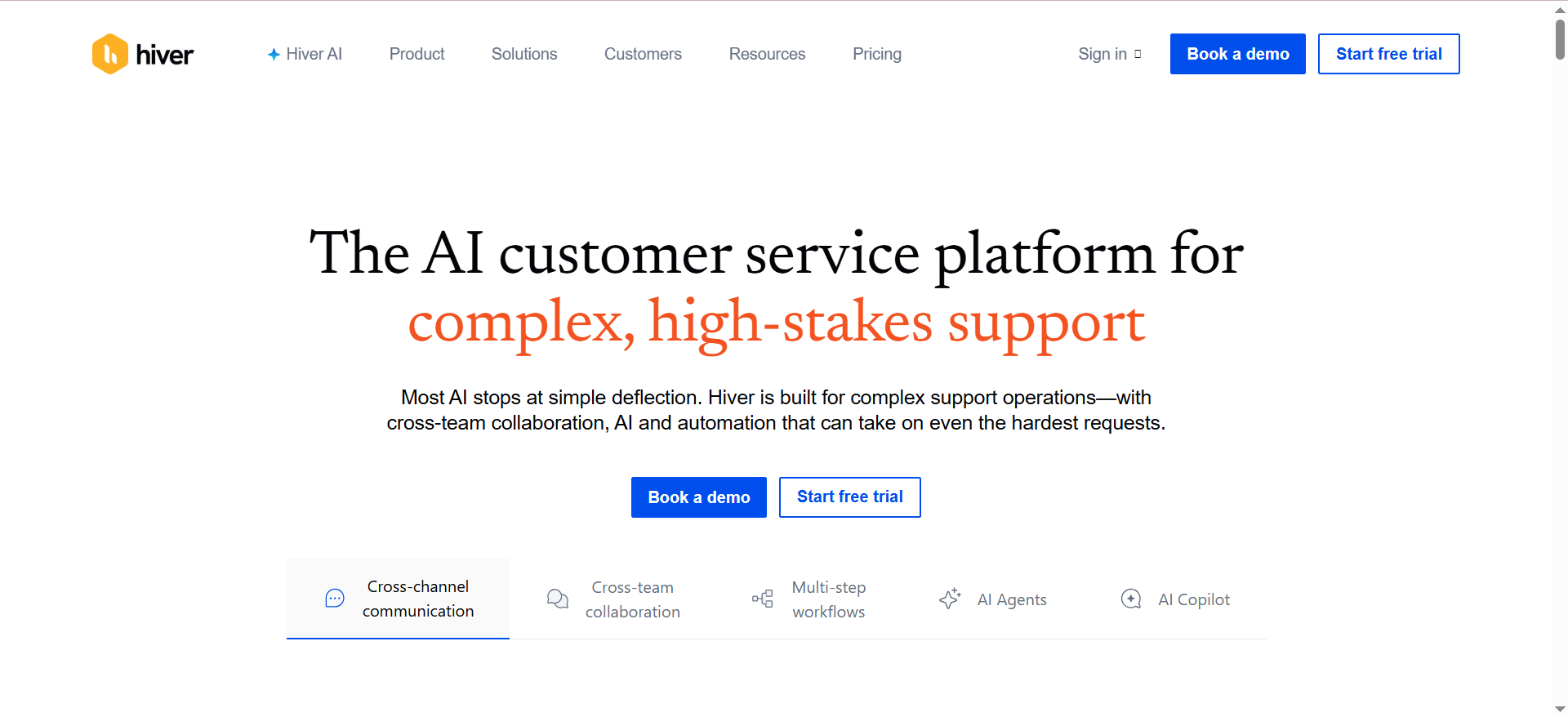
Hiver is an AI-powered helpdesk built directly inside Gmail and Google Workspace. It turns shared email addresses (support@, billing@, operations@) into managed inboxes with assignment rules, internal notes, SLA tracking, collision alerts, and automation, all without leaving Gmail.
The platform has expanded beyond email to support live chat, WhatsApp, voice (via Aircall integration), a knowledge base, and a self-service customer portal. Its AI layer, powered by the Harvey bot, adds summarization, smart routing, and automated responses.
Why Teams Use It
Hiver is for teams that live in Gmail and do not want another tool. Instead of asking agents to learn a new platform, Hiver layers support workflows directly on top of the email client they already use every day.
- Zero learning curve. Because Hiver lives inside Gmail, agents do not need to switch contexts or learn a new interface.
- Shared inbox management. Assign, track, and collaborate on customer emails with internal notes, status labels, and collision detection.
- Affordable entry point. With a free forever plan and paid plans starting at $25/user/month, Hiver has the lowest barrier to entry on this list.
- 8,000+ customers. Trusted by organizations including NASA, Vacasa, Pluralsight, Oxford Business Group, Flexport, and Canva (vendor-reported).
Best Fit / Not a Fit
Best fit for:
- Small to mid-size B2B teams (5 to 50 agents) that already use Google Workspace
- Companies where email is the primary support channel
- Teams that want to add support tooling without changing their existing workflow
- Budget-conscious organizations that need a functional free tier
Not a fit for:
- Teams that use Microsoft 365 or Outlook (Hiver is Gmail-only)
- Companies that need Slack-native or enterprise-grade channel support
- Organizations processing 50,000+ monthly tickets that need enterprise-scale AI automation
- Teams that need voice support as a core channel (voice requires a third-party Aircall integration)
Key Capabilities
- Gmail-native interface. Installs inside Gmail as a sidebar; no separate app to learn.
- Shared inbox. Manage support@, billing@, and other shared addresses with assignments, SLAs, and collision alerts.
- Harvey AI bot. AI assistant that provides email summarization, smart routing, suggested responses, and auto-closure of resolved conversations. If you are exploring standalone chatbot options alongside a helpdesk, see our top customer service chatbots comparison.
- Multi-channel support. Email, live chat, WhatsApp, voice (Aircall), knowledge base, and customer portal.
- Automation rules. Conditional automations for routing, tagging, assigning, and escalating tickets.
- SLA management. Set and track SLA targets with automated alerts and escalation rules.
- Analytics. Built-in reporting on response times, resolution rates, agent performance, and customer satisfaction.
- Collaboration. Internal notes, @mentions, and shared drafts for team collaboration on customer emails.
Pricing
Hiver uses per-seat pricing with four tiers:
- Free: $0/user/month. Unlimited users. Core multi-channel shared inbox features.
- Growth: $25/user/month (annual) or $35/user/month (monthly). Adds automation, SLAs, and more.
- Pro: $45/user/month (annual) or $55/user/month (monthly). Adds advanced analytics and integrations.
- Elite: $75/user/month (annual) or $95/user/month (monthly). Full feature set with premium support.
AI add-on:
- Hiver AI (Harvey): +$20/user/month across all paid tiers. Only available through Sales or Customer Success; cannot be purchased from the account dashboard.
Seat structure quirk: Paid plans start at 2 seats minimum, then jump to 5, and scale in increments of 5 after that (10, 15, 20). You cannot purchase 3, 4, 7, 8, or 9 seats.
Free Tier?
Yes. Hiver's Free plan includes unlimited users and core multi-channel shared inbox features. This is genuinely useful for small teams evaluating the platform, though it lacks automation, SLA tracking, and AI capabilities. Paid features unlock starting at the Growth tier.
Downsides / Limitations
- Gmail lock-in. Hiver only works with Gmail and Google Workspace. If your company uses Outlook or Microsoft 365, it is not an option.
- Performance at scale. Multiple G2 reviewers report lag and performance issues when handling high email volumes.
- Glitchy behavior. Users report disappearing integrations, unexpected logouts, and interface inconsistencies that disrupt workflow.
- AI gated behind add-on. Harvey AI costs an additional $20/user/month and must be purchased through a sales rep, adding friction and cost.
- Odd seat increments. The 2/5/5-increment seat structure means you may be paying for seats you do not use.
- Limited B2B depth. Hiver lacks account-level views, customer health scoring, and the multi-stakeholder conversation management that more B2B-focused tools offer.
Fit Matrix: Which Tool Matches Your Team?
Use this matrix to narrow your shortlist based on your company's stage, primary support channel, ticket volume, and budget.
| Criteria | Pylon | Decagon | DevRev | LorikeetCX | Hiver |
|---|---|---|---|---|---|
| Company Stage | Series A to Series C | Series C+ / Enterprise | Seed to Series B | Series B+ / Enterprise | Seed to Series B |
| Primary Channel | Slack + Email | All (chat, email, voice) | Email + Chat Widget | All (regulated workflows) | Gmail / Email |
| Monthly Ticket Volume | 500 to 10,000 | 10,000+ | 100 to 5,000 | 5,000+ | 100 to 5,000 |
| Annual Budget | $5K to $50K | $50K to $500K+ | $2K to $50K | Custom (resolution-based) | $0 to $20K |
| AI Included in Base | No (add-on) | Yes | Partially (100 free) | Yes (core product) | No (add-on) |
| Needs Engineering Alignment | No | No | Yes (core strength) | No | No |
| Regulated Industry | Possible | Yes | Possible | Yes (designed for it) | Possible |
| Gmail-First Team | No | No | No | No | Yes |
| Slack-First Team | Yes (core strength) | Possible | Possible | Possible | No |
How to use this matrix:
- Start with your primary support channel. If it is Slack, look at Pylon first. If it is Gmail, start with Hiver. If you need enterprise-grade voice, Decagon or LorikeetCX (or explore our voice agents for support guide).
- Check your budget range. Hiver and DevRev are accessible for early-stage teams. Pylon fits mid-market budgets. Decagon and LorikeetCX require enterprise-level investment.
- Consider your industry. Regulated industries (fintech, healthtech) should prioritize LorikeetCX or Decagon for their audit trail and deterministic AI capabilities.
- Evaluate the support-to-engineering gap. If your biggest pain point is closing the loop between customer issues and product development, DevRev is uniquely positioned.
Need help building your AI support evaluation criteria? BitBytes has helped dozens of B2B SaaS teams select and implement the right AI tools. We cut through vendor noise so you get a stack that fits your team, not the other way around. Get a free AI tool audit.
How AI Customer Support Platforms Actually Reduce Costs in B2B SaaS
The headline promise of AI support tools is cost reduction, but the math is more nuanced than vendors suggest. For the full picture backed by data, see our customer service statistics roundup.
The direct cost equation is straightforward. A human support agent handling B2B tickets costs between $45,000 and $85,000 per year in fully loaded compensation, depending on location and seniority. At 15 to 25 tickets per agent per day, each ticket costs roughly $8 to $22 in labor alone.
AI platforms claim to resolve tickets at $0.80 to $2.00 per interaction (vendor-reported figures across the tools in this list). Even accounting for the tickets AI cannot handle, the per-ticket cost reduction is significant at scale.
But indirect costs matter more for B2B teams:
- Faster first response. AI agents respond instantly, 24/7. For B2B SaaS with global customers across time zones, this eliminates the overnight ticket backlog.
- Reduced escalation volume. When AI handles routine "how do I" and "where is" questions, human agents spend more time on complex issues that actually require expertise.
- Improved retention signals. Faster resolution correlates with lower churn. While exact ROI is hard to isolate, multiple studies link support experience to B2B renewal rates.
The hidden cost most teams miss is AI governance. Someone needs to monitor AI accuracy, update knowledge bases, retrain models, and handle edge cases where the AI confidently gives wrong answers. Budget 10% to 20% of implementation cost for ongoing AI operations.
Per-Seat vs. Per-Resolution Pricing: Which Model Wins for B2B?
This is one of the most consequential decisions in choosing an AI support platform, and most comparison articles skip it entirely.
Per-seat pricing (used by Pylon, Hiver, DevRev):
- Predictable monthly costs. You know exactly what you will pay regardless of ticket volume.
- Scales with team size, not demand. Adding agents increases cost, but a spike in tickets does not.
- Downside: You pay the same whether your AI resolves 500 or 5,000 tickets. The cost is disconnected from AI performance.
Per-resolution pricing (used by LorikeetCX):
- Aligns cost to outcomes. You only pay when the AI successfully resolves a ticket, and the customer defines "resolution."
- No wasted spend. If AI resolution rates drop, your costs drop proportionally.
- Downside: Costs are unpredictable if ticket volume spikes. A viral bug or service outage could dramatically increase your AI support bill.
Per-conversation pricing (used by Decagon):
- Every interaction counts. You pay for each conversation, regardless of outcome.
- Includes failed resolutions. If the AI cannot resolve the issue and escalates, you still pay for that conversation.
- Downside: This model penalizes you for AI limitations rather than rewarding AI performance.
The practical recommendation: Early-stage teams with unpredictable volumes should start with per-seat pricing for cost predictability. If you are also evaluating e-commerce support tools with different pricing dynamics, see our e-commerce support platforms comparison. Companies with 10,000+ monthly tickets and confidence in AI resolution rates benefit from per-resolution pricing. Avoid per-conversation models unless the per-conversation rate is low enough that failed resolutions do not meaningfully impact your budget.
What "AI Resolution Rate" Really Means (and Why Vendor Claims Are Misleading)
Every AI support vendor publishes resolution rate numbers. Decagon claims 90%+ autonomous resolution for some customers (vendor-reported). LorikeetCX reports end-to-end multi-step ticket resolution. Pylon and DevRev highlight AI deflection capabilities.
Here is why you should treat these numbers skeptically:
- Definition varies by vendor. Some count "deflection" (the customer did not create a ticket) as a resolution. Others count "AI responded and the customer did not reply within 24 hours" as resolved. True resolution means the customer's problem was actually fixed.
- Cherry-picked customer data. Vendors publish their best case studies. The company with a 90% resolution rate likely has well-documented, repetitive issues. Your resolution rate will depend on your specific ticket mix.
- Simple vs. complex tickets. AI excels at "how do I reset my password" and struggles with "our API integration broke after your last release." B2B support skews heavily toward complex, multi-step issues that are harder for AI to resolve autonomously.
How to evaluate AI resolution claims:
- Ask vendors for resolution rate data segmented by ticket complexity (L1, L2, L3).
- Request references from companies in your industry with similar ticket profiles.
- Insist on a pilot period with your actual ticket data before committing to an annual contract.
- Define "resolution" in your contract. If you are on per-resolution pricing, this definition directly impacts your costs.
Industry benchmark: According to multiple 2025-2026 industry analyses, AI customer support tools typically achieve 30% to 50% autonomous resolution rates for B2B SaaS tickets in the first 90 days, improving to 50% to 70% within 6 months as knowledge bases are refined. Claims above 80% are possible but usually apply to specific, well-documented ticket categories rather than overall volume.
How to Migrate from a Legacy Support Tool Without Losing Data
Switching support platforms is one of the highest-risk operational changes a B2B SaaS team can make. Here is a practical migration framework.
Phase 1: Audit your current state (2 weeks)
- Export all ticket history, macros, automation rules, and knowledge base articles.
- Map every integration point: CRM, billing system, product analytics, engineering tools.
- Document your current SLA commitments and escalation workflows.
- Identify your top 20 ticket categories by volume and complexity.
Phase 2: Parallel run (4 to 8 weeks)
- Run both old and new systems simultaneously. Route a percentage of new tickets to the new platform (start at 10%, scale to 50%).
- Compare resolution times, CSAT scores, and agent feedback between systems.
- Refine AI training data, automation rules, and escalation paths in the new tool.
- Do not cut over until the new system matches or beats the old system on your key metrics.
Phase 3: Cutover and cleanup (2 weeks)
- Redirect all ticket sources (email, chat, Slack channels) to the new platform.
- Maintain read-only access to the old system for 90 days so agents can reference historical tickets.
- Update all customer-facing support links, forms, and documentation.
- Brief your customer success team so they can proactively communicate the change to key accounts.
Common migration mistakes to avoid:
- Skipping the parallel run. Going cold-turkey increases the risk of dropped tickets, broken integrations, and frustrated customers.
- Ignoring knowledge base quality. Your AI is only as good as the content it trains on. Migrating outdated or inaccurate knowledge base articles means your AI will confidently give wrong answers.
- Underestimating integration complexity. Budget 2x the time you think you need for CRM and engineering tool integrations.
Building an AI Support Knowledge Base That Actually Works
The single biggest factor in AI support performance is knowledge base quality. Every tool on this list trains its AI on your documentation, and garbage in means garbage out.
Knowledge base architecture for AI:
- One article per topic. Do not combine "how to reset your password" and "how to enable 2FA" in one article. AI retrieval works best when content is focused and unambiguous.
- Use the customer's language. If customers call it "billing portal" and your docs call it "subscription management dashboard," the AI will struggle to match queries to answers.
- Include the question in the answer. Start each article with the question or problem statement it addresses. This improves AI retrieval accuracy significantly.
- Version your content. Flag articles by product version. AI trained on documentation for v2.3 will give wrong answers to customers on v3.0.
Maintenance cadence:
- Weekly: Review AI escalation logs. Every ticket the AI escalated is a knowledge gap. Create or update articles to address recurring escalations.
- Monthly: Audit the top 50 AI-resolved tickets for accuracy. Verify the AI gave correct, complete answers.
- Quarterly: Remove or archive articles for deprecated features. Update pricing, plan names, and feature availability.
Content formats that AI handles best:
- Step-by-step instructions with numbered lists
- FAQ-style question-and-answer pairs
- Troubleshooting decision trees (if X, then Y)
- API documentation with example requests and responses
Content formats that trip up AI:
- Long-form narrative documentation without clear structure
- PDFs and images without text extraction
- Video-only content with no transcript
- Ambiguous language like "it depends" without specifying conditions
When AI Support Fails: Building Effective Human Escalation Paths
AI will not resolve everything. The difference between a good and bad AI support implementation is what happens when the AI cannot help.
Designing escalation triggers:
- Confidence threshold. Set a minimum confidence score below which the AI automatically routes to a human. Start at 70% and adjust based on your accuracy data.
- Complexity detection. Multi-turn conversations, mentions of legal/compliance issues, or requests involving financial transactions should trigger immediate escalation.
- Sentiment monitoring. If customer sentiment drops during an AI conversation (detected via language analysis), escalate before the customer becomes frustrated.
- Loop detection. If the AI asks the same clarifying question twice or provides the same answer to a rephrased question, escalate. Understanding how agentic AI differs from generative AI helps explain why some systems handle escalation better than others.
What good escalation looks like:
- The AI summarizes the conversation so far and passes it to the human agent (every tool on this list supports this).
- The human agent sees the customer's account context, ticket history, and the AI's attempted resolution.
- The customer does not have to repeat themselves. The handoff is seamless.
- After the human resolves the issue, the resolution is fed back to the AI to improve future handling.
What bad escalation looks like:
- The AI says "Let me connect you with a human agent" and drops the context.
- The customer waits in a queue and then has to re-explain everything.
- The human agent has no visibility into what the AI already tried.
- The resolution is not captured, so the same issue triggers the same failed AI response next time.
FAQs
For teams with fewer than 10 agents and a limited budget, Hiver is the strongest starting point. Its free plan provides a functional multi-channel shared inbox, and paid plans start at just $25/user/month. The Gmail-native interface means zero learning curve for teams already using Google Workspace. DevRev is also worth evaluating if you want AI included in the base price and need support-to-engineering alignment, thanks to its free Mini plan and low Starter pricing at $19.99/user/month. For even lighter-weight options, check our guide to AI tools for small businesses.
Implementation costs vary dramatically by platform. For a broader data set on what AI voice support costs, factor in voice channel pricing separately. Hiver can be set up in hours at zero cost on the free tier. Pylon requires a minimum $2,124/year commitment (3 seats at $59/month, annual billing) and typically takes 1 to 2 weeks to configure. DevRev starts at approximately $2,400/year for a small team. Decagon requires a minimum $50,000/year platform fee plus a 60 to 90-day implementation period. LorikeetCX uses resolution-based pricing that scales with usage but requires a sales engagement to scope. Beyond licensing, budget for 20 to 40 hours of internal setup time for knowledge base migration, integration configuration, and AI training.
Yes, but with caveats. Platforms like Decagon and LorikeetCX are specifically designed for complex, multi-step issue resolution with action-taking agents that can update records, process transactions, and execute workflows. DevRev's unified knowledge graph gives its AI context from engineering data, improving technical accuracy. However, genuinely novel technical issues, edge cases in custom integrations, and problems requiring human judgment will still need human agents. Expect AI to handle 30% to 50% of complex B2B tickets autonomously in the first 90 days, with improvement over time as your knowledge base matures.
Pylon is the standout option for Slack-based B2B support. It natively tracks conversations in Slack Connect channels, public channels, and private channels, converting them into support tickets without requiring customers to leave Slack. DevRev also offers Slack integration as a connector, but it is not the platform's primary channel. Decagon, LorikeetCX, and Hiver do not position Slack as a core support channel, though some offer basic Slack notification integrations.
Per-resolution pricing means you pay only when the AI successfully resolves a ticket. LorikeetCX uses this model at approximately $0.80 per chat/email/SMS resolution and $1.00 per voice resolution. The advantage is cost alignment with AI performance: if the AI resolves more, you pay more, but your cost per resolved ticket stays low. The disadvantage is unpredictability during volume spikes. Per-seat pricing (Pylon, Hiver) gives you fixed monthly costs regardless of ticket volume, which is easier to budget. The right choice depends on your volume, your confidence in AI resolution rates, and whether cost predictability or cost efficiency matters more to your finance team.
Most B2B SaaS teams see measurable impact within 30 to 60 days of deploying AI support, primarily through reduced first-response time and decreased L1 ticket volume. Full ROI, defined as the AI platform cost being offset by reduced headcount needs or avoided hires, typically takes 3 to 6 months. The timeline depends heavily on knowledge base quality at launch, ticket complexity distribution, and how aggressively the team refines AI training based on escalation data. Teams that invest in knowledge base preparation before launch consistently reach ROI faster.
Ready to build your AI support stack the right way? BitBytes provides hands-on guidance for B2B SaaS teams navigating the AI tools landscape. From vendor evaluation to implementation planning, we help you avoid expensive mistakes and get to ROI faster. Schedule a free strategy call.