

TL;DR
Omnichannel AI support platforms now handle 60 to 80 percent of incoming tickets across chat, email, voice, social, and messaging channels without a human touching them. But the five leading platforms differ dramatically in pricing model, channel depth, and ideal customer profile. Freshdesk Freddy works best for mid-market teams already inside the Freshworks ecosystem. Kustomer delivers a true CRM-first timeline for D2C and retail brands. Gorgias dominates Shopify-native ecommerce support. Yellow.ai targets enterprises needing 35+ channel coverage across global markets. Crescendo AI is a fully managed service that pairs AI with human agents, charging only per resolution. Choosing the wrong one means paying for channels you do not use or missing the ones your customers demand.
Evaluating platforms vs building custom? BitBytes designs and ships production AI support agents. Talk to our engineers
Table of Contents
Quick Comparison Table
| Feature | Freshdesk Freddy | Kustomer | Gorgias | Yellow.ai | Crescendo AI |
|---|---|---|---|---|---|
| Starting Price | $29/agent/mo + AI add-ons | $89/seat/mo (8-seat min) | $60/mo (300 tickets) | Custom ($50K+/yr typical) | ~$2,900/mo + $1.25/resolution |
| Pricing Model | Per-agent + per-session | Per-seat or per-conversation | Per-ticket volume | Custom enterprise | Per-resolution (managed) |
| AI Resolution Rate | Up to 80% (vendor-reported) | Up to 70% (vendor-reported) | Up to 60% (vendor-reported) | Not publicly disclosed | Up to 90% (vendor-reported) |
| Best For | Mid-market, existing Freshworks users | D2C brands, CRM-centric teams | Shopify ecommerce stores | Global enterprise, 35+ channels | Teams wanting fully managed CX |
How We Evaluated These Tools
Every platform in this list was assessed across six criteria:
- Channel coverage. Which channels does the platform natively support (email, chat, voice, SMS, WhatsApp, social, in-app) and does it preserve context when customers switch between them?
- AI agent capabilities. Can the AI resolve tickets autonomously, or does it only assist human agents? Does it take actions (refunds, order edits, subscription changes) or just draft replies?
- Pricing transparency and total cost. What is the actual cost at 10, 50, and 200 agents, including all AI add-ons and overages?
- Integration depth. How well does the platform connect with ecommerce stacks, CRMs, and third-party tools?
- Review ratings and community sentiment. G2, Capterra, and unfiltered community discussions on Reddit and forums.
- Fit and limitations. Where does each platform excel, and where does it break down?
We did not run live tests on these platforms. All data comes from vendor-published documentation, third-party review platforms, and community discussions, verified against live vendor pages as of July 2026. For a structured approach to vendor assessment, see our buyer's evaluation checklist.
Freshdesk Freddy
What It Does
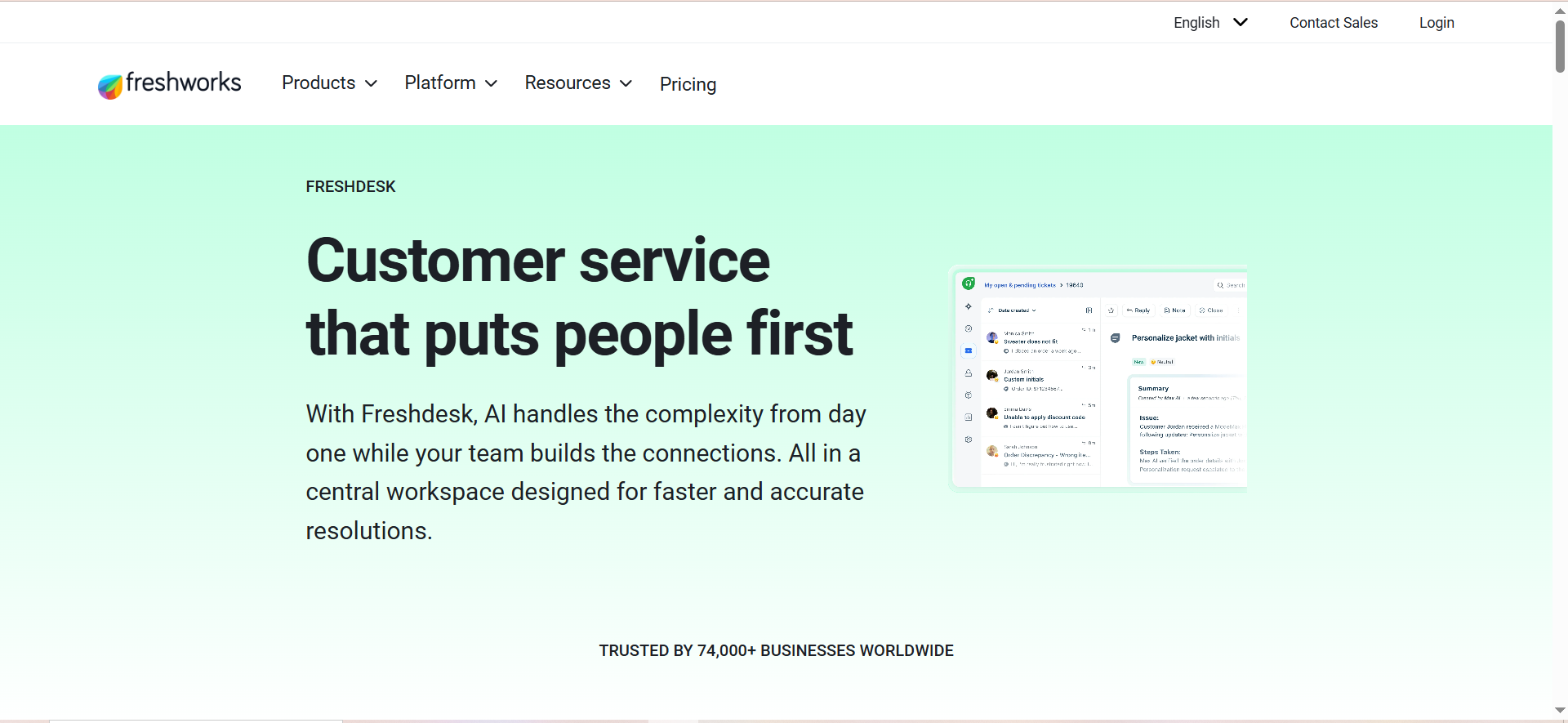
Freshdesk Freddy is the AI layer built into Freshworks' customer support suite. It operates as three distinct products: Freddy AI Agent (customer-facing automation), Freddy AI Copilot (agent-assist for drafting replies and summarizing tickets), and Freddy AI Insights (operational analytics). Together, they turn Freshdesk from a traditional ticketing system into an AI-augmented omnichannel platform.
The key selling point is that Freddy is native to Freshdesk, not a bolt-on integration. If your team already uses Freshworks for CRM, marketing, or IT service management, Freddy slots in without a separate vendor contract.
Why Teams Use It
- Ecosystem lock-in works in your favor. Teams already on Freshworks get a unified data layer across sales, marketing, and support. Freddy can pull customer context from Freshsales CRM, Freshmarketer campaigns, and Freshservice IT tickets.
- Pre-built agentic workflows. Freddy ships with 50+ pre-built workflows for common scenarios: order tracking, refund processing, subscription changes, appointment rescheduling, and password resets.
- 60+ language support. The AI agent handles conversations in over 60 languages across all supported channels.
Best Fit
- Mid-market support teams (10 to 200 agents) already inside the Freshworks ecosystem
- Teams with a strong, well-maintained knowledge base
- Organizations needing gradual AI adoption (start with Copilot, add AI Agent later)
Not a Fit
- Teams needing multi-turn email resolution (Freddy currently resolves only the first email in a thread; follow-ups require human handoff)
- Organizations without an existing Freshdesk knowledge base (Freddy's accuracy depends heavily on knowledge base quality)
- Teams wanting a single, predictable monthly bill (the layered pricing makes cost forecasting difficult)
Key Capabilities
- Omnichannel coverage: Email, webchat, WhatsApp, Facebook Messenger, Instagram. Full omnichannel (voice, SMS, Apple Business Chat) requires the Freshdesk Omni product line.
- AI Agent: No-code builder for custom workflows. Can handle order tracking, refunds, and FAQs autonomously.
- AI Copilot: Context-aware reply suggestions, ticket summaries, tone adjustment, and next-best-action recommendations inside the agent workspace.
- AI Insights: Performance dashboards showing resolution rates, deflection metrics, and knowledge base gaps. Currently free in beta with any Copilot license.
- Security: SOC 2 Type II compliant. AI Trust layer protects against unauthorized access and ensures compliance with global privacy regulations.
Pricing
Freshdesk uses a layered pricing model that stacks base plans, AI add-ons, and per-session fees:
Base plans (per agent, per month, billed annually):
- Growth: $19/agent/mo (Email and Ticketing) or $29/agent/mo (Freshdesk Omni)
- Pro: $55/agent/mo (Email and Ticketing) or $79/agent/mo (Freshdesk Omni)
- Enterprise: $89/agent/mo (Email and Ticketing) or $119/agent/mo (Freshdesk Omni)
AI add-ons:
- Freddy AI Copilot: $29/agent/mo (annual) or $35/agent/mo (monthly). Requires Pro or Enterprise plan.
- Freddy AI Agent: First 500 sessions included. Then $49 per 100 sessions ($0.49/session) on classic Freshdesk, or ~$0.10/session on Freshdesk Omni.
- Freddy AI Insights: Free in beta with Copilot license.
Real cost example: A team of 20 agents on Freshdesk Omni Pro ($79/agent/mo) with Freddy AI Copilot ($29/agent/mo) pays $2,160/month before any AI Agent session fees. At 2,000 AI sessions per month beyond the included 500, add another $735/month for a total of roughly $2,895/month.
Free Tier?
Freshdesk offers a free plan for up to 2 agents on the basic Email and Ticketing product. However, this plan does not include Freddy AI Agent or Copilot features. AI capabilities require at minimum the Growth plan ($19/agent/mo) for basic AI Agent, and Pro ($55/agent/mo) for Copilot.
Downsides and Limitations
- Single-turn email resolution only. The AI Agent resolves the first email in a thread but cannot continue conversations if the customer replies with follow-up questions. A human agent must pick up the thread.
- Knowledge base dependency. Unlike platforms that can pull context from Slack, internal wikis, or CRM notes, Freddy's performance is primarily tied to the quality of your Freshdesk knowledge base.
- Complex pricing layers. Base plan + Copilot add-on + per-session AI Agent fees + potential Omni upgrade makes total cost hard to predict. A $19/agent starting price can easily become $84+ per agent once AI features are layered on.
- Vendor-reported 80% resolution rate varies widely in practice. Independent case studies show real-world results ranging from 23% to 75% depending on knowledge base quality and ticket complexity. For broader context on what these numbers mean, see industry-wide benchmarks.
Ratings: G2: 4.4/5 (~3,740 reviews) | Capterra: 4.5/5 (~3,440 reviews)
Kustomer
What It Does
Kustomer is a CRM-first customer service platform that unifies every customer interaction into a single, chronological timeline. Instead of managing isolated tickets, agents see a complete history of orders, conversations, returns, and touchpoints in one view. The platform layers AI on top of this unified data to automate resolutions and assist agents.
In 2026, Kustomer made a notable strategic pivot: it now offers its AI as a standalone product that overlays existing helpdesks (including competitors), positioning itself as an AI layer rather than a full platform replacement.
Why Teams Use It
- Unified customer timeline. Every interaction, order, and data point appears on a single timeline. Agents never ask a customer to repeat themselves or dig through separate systems.
- CRM-grade data model. Kustomer is built as a CRM, not a ticketing system. This means custom objects, attributes, and relationships that mirror your business logic.
- Conversation-based pricing option. The alternative $0.35/conversation model (Enterprise) lets high-volume teams with many agents avoid steep per-seat costs.
Best Fit
- D2C ecommerce brands with complex customer journeys and high order volumes
- Teams with 8+ support agents (minimum seat requirement)
- Organizations that need CRM-depth customer data inside their support tool
- Companies running multiple brands from a single support operation (Ultimate plan)
Not a Fit
- Small teams with fewer than 8 agents (minimum seat requirement)
- Budget-conscious startups (minimum annual spend of ~$8,544 for 8 seats)
- Teams looking for self-serve setup (Kustomer has a steep learning curve and complex backend configuration)
Key Capabilities
- Omnichannel coverage: Email, chat, SMS, WhatsApp (via Twilio or MessageBird), Instagram, Facebook Messenger, web forms, and native AI Voice.
- AI Agents for Customers: Customer-facing AI that resolves tickets autonomously. Vendor-reported resolution rate of up to 70%. To understand how these AI support agents work under the hood, see our explainer.
- AI Agents for Reps: Copilot functionality that drafts replies, summarizes conversations, and suggests next actions for human agents.
- Intelligent routing: Uses CRM data and AI-detected intent to route conversations to the right agent or team, not just keyword matching.
- Multi-brand support: Ultimate plan supports managing multiple brands from a single instance with separate workflows and routing rules.
- Shopify integration: Native integration pulls order data, shipping status, and purchase history directly into the conversation view.
Pricing
Kustomer offers two pricing models:
Per-seat pricing (annual billing, 8-seat minimum):
- Enterprise: $89/seat/mo
- Ultimate: $139/seat/mo
Per-conversation pricing (unlimited users):
- Enterprise: $0.35/conversation
- Ultimate: $0.50/conversation
AI add-ons:
- AI Copilot: $40/user/mo
- AI Agent conversations: $0.60 per engaged conversation (charged whether or not the AI resolves the issue)
Total cost example: A team of 15 agents on the Enterprise per-seat plan ($89/seat/mo) with AI Copilot ($40/user/mo) pays $1,935/month in base fees. At 3,000 AI conversations per month, add $1,800/month in AI Agent fees for a total of roughly $3,735/month.
Free Tier?
No. Kustomer does not offer a free plan or a publicly available free trial. All plans require annual contracts and an 8-seat minimum.
Downsides and Limitations
- High minimum commitment. The 8-seat minimum on annual billing means a minimum spend of $8,544/year on the Enterprise plan before any AI add-ons.
- Steep learning curve. Backend configuration is complex, and multiple reviewers cite setup difficulty as a top complaint. Expect weeks of onboarding, not days.
- AI charges regardless of outcome. The $0.60 per AI conversation fee applies whether or not the AI actually resolves the issue, which can inflate costs on complex tickets that still need human intervention.
- Performance issues reported under load. Some users report slower response times during high-volume chat sessions.
- Pricing not transparent. Detailed pricing is not prominently displayed on the website, requiring sales engagement for conversation-based model details.
Ratings: G2: 4.4/5 (~510 reviews) | Capterra: 4.6/5 (verified reviews)
Gorgias
What It Does
Gorgias is a customer support platform built specifically for ecommerce. It is designed around Shopify, with native integrations that let AI agents look up orders, process returns, issue refunds, edit subscriptions, and update shipping addresses directly inside support conversations. The platform charges based on ticket volume rather than agent seats, making it cost-effective for teams with many agents but moderate ticket counts.
In 2026, Gorgias released AI Agent 2.0, pivoting from reactive support to proactive revenue generation. The AI now initiates conversations at key moments (homepage visits, product browsing, cart abandonment) rather than waiting for customers to ask for help. If you are weighing Gorgias against other ecommerce support tools, we cover more options in a separate comparison.
Why Teams Use It
- Shopify-native ecommerce actions. The AI agent does not just reply to tickets. It takes actions: tracking orders, starting returns, issuing refunds, editing subscriptions, and updating addresses, all without leaving the conversation.
- No per-seat charges. From the Basic plan up, Gorgias charges by ticket volume, not by the number of agents. Whether you have 5 agents or 500, the subscription cost stays the same.
- Revenue-focused AI. AI Agent 2.0 includes intent-based discounting, WhatsApp cart recovery, and proactive engagement that turns support interactions into sales opportunities.
Best Fit
- Shopify stores with moderate to high ticket volumes
- Ecommerce brands that want support and sales in one tool
- Teams with many agents but controlled ticket volumes (no per-seat fees)
- Brands already using Shopify, Klaviyo, Recharge, or Loop Returns
Not a Fit
- Non-Shopify ecommerce (BigCommerce, Magento, WooCommerce). The AI agent is Shopify-only.
- Enterprise or B2B support teams. Gorgias is designed for consumer ecommerce.
- Teams needing native voice support (voice is a separate add-on, not built into the core platform)
- High-volume stores on tight margins (ticket-based pricing with AI overages can spike costs unexpectedly)
Key Capabilities
- Omnichannel coverage: Email, live chat, social media (Facebook, Instagram), WhatsApp, SMS (add-on). Voice is available as a separate add-on.
- AI Agent 2.0: Resolves up to 60% of support inquiries without human intervention (vendor-reported). Takes ecommerce actions: order tracking, refunds, exchanges, subscription edits.
- Proactive engagement: AI initiates conversations during homepage visits, product browsing, and cart abandonment events.
- 150+ integrations: Native connections with Shopify, Shopify Plus, Klaviyo, Recharge, Loop Returns, Yotpo, and more.
- Macros and Rules: Automation engine for tagging, routing, and auto-responding based on ticket content and customer attributes.
- Image understanding: AI can analyze images of damaged products (email channel only, not chat).
Pricing
Gorgias uses a ticket-volume pricing model:
- Starter: $10/mo (50 tickets, 3 agent limit)
- Basic: $60/mo or $50/mo annual (300 tickets, unlimited agents)
- Pro: $360/mo or $300/mo annual (2,000 tickets, unlimited agents)
- Advanced: $900/mo or $750/mo annual (5,000 tickets, unlimited agents)
- Enterprise: Custom pricing
Overage fees: $0.36 to $0.40 per ticket beyond the monthly allotment.
AI Agent fees: AI-resolved tickets are double-billed. You pay both the helpdesk ticket cost and an additional automation fee of $0.90 to $1.00 per AI conversation.
Cost warning: Gorgias' ticket-based pricing can be deceptive. A store handling 3,000 tickets/month on the Pro plan ($360/mo) with 1,500 AI resolutions pays an additional $1,350 to $1,500/month in AI fees. Total: roughly $1,710 to $1,860/month. The double-billing on AI tickets is the most common pricing complaint in user reviews.
Free Tier?
Gorgias offers a free trial for new accounts. The Starter plan at $10/month is the lowest paid tier, limited to 50 tickets and 3 agents. There is no permanently free plan.
Downsides and Limitations
- Shopify-only AI agent. The AI agent's ecommerce actions (order lookups, refunds, returns) only work with Shopify. BigCommerce, Magento, and WooCommerce stores cannot use these features.
- Double-billing on AI tickets. Every AI-resolved ticket incurs both the standard ticket cost and an AI automation fee. This erodes the cost savings that AI automation is supposed to deliver.
- Voice is an add-on. Unlike platforms with native voice support, Gorgias charges separately for phone capabilities.
- Image analysis limited to email. The AI can analyze product images for damage claims on email, but this feature does not work on chat.
- Customer support quality concerns. Multiple long-term users report declining support quality from Gorgias itself, with AI-only support responses and difficulty reaching human help.
Ratings: G2: 4.6/5 (~547 reviews) | Capterra: 4.6/5 (~132 reviews)
Yellow.ai
What It Does
Yellow.ai is an enterprise-grade conversational AI platform that deploys AI agents across 35+ channels in 150+ languages. Unlike the other platforms on this list, Yellow.ai is built for large-scale global deployments where a single AI needs to operate consistently across web, WhatsApp, Facebook Messenger, Instagram, Telegram, SMS, email, voice, Google Business Messages, Apple Business Chat, and dozens more channels.
The platform uses a proprietary multi-LLM architecture that routes queries to different language models based on the type of request, optimizing for accuracy, speed, and cost. Yellow.ai reports training on over 16 billion conversations annually (vendor-reported).
Why Teams Use It
- 35+ channel deployment. No other platform on this list matches Yellow.ai's channel breadth. It covers every major messaging, social, email, and voice channel globally.
- Enterprise-scale multilingual support. Purpose-built for organizations operating across multiple countries and languages simultaneously.
- Pre-built industry solutions. Yellow.ai offers pre-configured workflows for banking, insurance, healthcare, retail, and telecom that include industry-specific compliance and regulatory features.
Best Fit
- Large enterprises (1,000+ employees) with global customer bases
- Organizations needing support across 10+ channels simultaneously
- Industries with specific compliance requirements (banking, healthcare, insurance)
- Companies with budgets starting at $50,000+/year for conversational AI
Not a Fit
- SMBs or startups (pricing starts well above what small teams can justify)
- Teams wanting self-serve, quick setup (implementation typically requires vendor assistance and can take months)
- Organizations that need transparent, published pricing (all pricing is custom and quote-based)
Key Capabilities
- Omnichannel coverage: 35+ channels including web, WhatsApp, Facebook Messenger, Instagram, Telegram, SMS, email, voice, Google Business Messages, Apple Business Chat, Microsoft Teams, Slack, Viber, LINE, WeChat, and more.
- Multi-LLM architecture: Routes requests to different language models based on query type for optimal accuracy and cost.
- 150+ pre-built integrations: Connects to Salesforce, SAP, ServiceNow, Shopify, and major enterprise systems.
- Voice AI: Native voice support with IVR replacement capabilities and real-time voice-to-text. If voice is a deciding factor, compare Yellow.ai against dedicated voice agent platforms as well.
- Enterprise security: SOC 2 Type II, ISO 27001, GDPR, and HIPAA compliance capabilities.
- Analytics and reporting: Real-time dashboards for conversation metrics, resolution rates, CSAT, and agent performance.
Pricing
Yellow.ai's pricing is not publicly disclosed. All plans are custom-quoted based on conversation volume, channels, integrations, and professional services.
What market signals indicate:
- Enterprise contracts typically start at $50,000+/year
- Pricing scales based on conversation volume and number of active channels
- Implementation and professional services fees are common additions
- 14-day free trial available for platform exploration
Enterprise pricing reality:Yellow.ai does not publish pricing, which is standard for enterprise CCaaS platforms. Expect a multi-week sales process with discovery calls, technical assessments, and custom proposals. Budget at least $50,000/year as a starting point, with large-scale deployments running significantly higher.
Free Tier?
Yellow.ai offers a 14-day free trial for platform exploration and bot building. There is no free plan for production use.
Downsides and Limitations
- No published pricing. The entirely custom pricing model makes it impossible to budget without engaging in a sales process.
- Long implementation timelines. Multiple reviewers report implementations taking 3 to 5+ months, with one G2 review stating it took almost 5 months without a working product.
- Heavy vendor dependency. The platform often requires substantial vendor assistance for initial setup and ongoing changes, limiting self-serve capabilities.
- Mixed support experiences. While the technology is capable, reviewers consistently flag slow escalation processes and scripted responses from Yellow.ai's own support team.
- Limited self-serve experience. Unlike Freshdesk or Gorgias where teams can be up and running in hours, Yellow.ai deployments are typically project-based engagements.
Ratings: G2: 4.4/5 (~106 reviews) | Capterra: 4.5/5 (~37 reviews)
Crescendo AI
What It Does
Crescendo AI is a fully managed customer experience platform that combines AI automation with a global team of 3,000+ human support agents. Unlike every other platform on this list, Crescendo is not a software tool you configure and run yourself. It is a managed service where Crescendo handles deployment, integration, AI training, quality assurance, and human escalation.
Following its acquisition of PartnerHero (a global customer operations outsourcer), Crescendo now offers what it calls "Augmented AI": AI handles the volume, humans handle the complexity, and Crescendo manages both. This model sits at the opposite end of the spectrum from a build-your-own approach.
Why Teams Use It
- Zero operational burden. Crescendo handles everything: AI configuration, knowledge base management, quality scoring, and human agent staffing. Your team does not manage the AI.
- Pay-per-resolution model. You pay only when issues are actually resolved, not per agent seat, per ticket, or per conversation attempt.
- Built-in human fallback. When the AI cannot resolve an issue, it seamlessly escalates to Crescendo's own human agents, not your team. This is included in the service.
Best Fit
- Companies that want to outsource their entire support operation (AI + humans) to a single vendor
- Teams without the internal resources or desire to configure, train, and maintain an AI platform
- Organizations prioritizing time-to-value (Crescendo claims go-live in 2 to 4 weeks)
- Brands that need multilingual support across 50+ languages without hiring multilingual agents
Not a Fit
- Teams that want full control over their AI models and configurations
- Organizations with strict data residency requirements that conflict with managed service models
- Budget-conscious SMBs (minimum ~$2,900/month plus per-resolution fees)
- Companies that want to build internal AI expertise (Crescendo's managed model keeps AI knowledge with the vendor)
Key Capabilities
- Omnichannel coverage: Chat, voice, email, SMS, in-app, and social channels. Context preserved across channel switches.
- Managed AI + human agents: AI handles routine queries; 3,000+ multilingual human agents handle escalations.
- 50+ language support: AI responds in over 50 languages across all business channels.
- Quality guarantees: Conversation quality scoring with credits when quality falls below agreed thresholds.
- Fast deployment: Vendor-reported go-live in 2 to 4 weeks with free setup.
- Vendor-reported 99.8% accuracy across AI-handled conversations.
Pricing
Crescendo uses a per-resolution pricing model:
- Base fee: Approximately $2,900/month for managed services
- Per resolution: $1.25 per resolved conversation
- Setup: Free
- Contract: Month-to-month available after proof-of-value period
The pricing includes AI automation, human agent escalation, knowledge base management, quality assurance, and 24/7 support.
Total cost example: A company handling 5,000 resolutions/month pays roughly $2,900 (base) + $6,250 (5,000 x $1.25) = $9,150/month. This covers both AI and human support, so compare it against your combined software + agent staffing costs, not just software alone.
Free Tier?
No. Crescendo does not offer a free tier or public free trial. They offer a proof-of-value period where you can run month-to-month before committing to a longer contract.
Downsides and Limitations
- Limited control. As a managed service, you do not have direct access to configure AI models, modify prompts, or adjust conversation flows yourself. Changes go through Crescendo's team.
- Higher floor cost. The ~$2,900/month base fee plus per-resolution charges make this the most expensive option for small teams with low ticket volumes.
- Vendor lock-in risk. Since Crescendo manages the entire stack, migrating away means rebuilding your AI support operation from scratch.
- Limited review presence. Crescendo AI does not have a dedicated G2 listing or substantial third-party review base, making independent validation harder.
- Not ideal for partial automation. The managed model is designed for teams that want to hand off their entire support operation, not for teams that want AI to augment an existing internal team.
Ratings: No dedicated G2 listing for Crescendo AI's customer service platform. Limited third-party review data available.
Scenario-Based Fit Matrix
Use this matrix to match your team profile to the right platform:
| Scenario | Best Platform | Why |
|---|---|---|
| Shopify store, 500-5,000 tickets/mo, want AI to handle orders and returns | Gorgias | Native Shopify actions, ticket-based pricing, ecommerce-specific AI workflows |
| Mid-market SaaS, 20 agents, already on Freshworks | Freshdesk Freddy | Ecosystem integration, gradual AI adoption path, Copilot for agent productivity |
| D2C brand, complex customer journeys, need full customer history in one view | Kustomer | CRM-first timeline, multi-brand support, Shopify integration |
| Global enterprise, 35+ channels, regulatory compliance | Yellow.ai | Broadest channel coverage, enterprise security certifications, multi-LLM architecture |
| Want to outsource entire support operation (AI + humans) | Crescendo AI | Fully managed service, pay-per-resolution, no internal AI team needed |
| Small team (under 5 agents), limited budget | Freshdesk Freddy | Free plan for 2 agents, lowest entry point, can add AI incrementally |
| High agent count, low ticket volume | Gorgias | No per-seat charges on Basic+ plans, costs based on tickets not headcount |
| Need AI on top of existing helpdesk without migration | Kustomer | 2026 standalone AI product overlays existing helpdesks |
Not sure any of these fit? We build custom omnichannel AI solutions on open-source and API-first stacks. Get a build-vs-buy assessment
How Does Omnichannel AI Differ from Multichannel Support?
Multichannel support means offering multiple contact channels (email, chat, phone, social). Omnichannel support means those channels share context. When a customer starts on Instagram, moves to email, and then calls in, an omnichannel platform preserves the entire conversation history so the agent (or AI) does not start from zero.
The practical difference shows up in three areas:
- Context preservation. Omnichannel platforms maintain a single customer record across all channels. Multichannel tools often create separate tickets per channel.
- Channel switching. Customers can switch channels mid-conversation without repeating themselves. The AI or agent sees everything that happened before.
- Routing intelligence. Omnichannel platforms use cross-channel data to route conversations to the right team, not just the right queue.
All five platforms in this article offer some degree of omnichannel context preservation, but Kustomer's unified timeline and Yellow.ai's 35+ channel coverage represent the strongest implementations. The distinction between a simple chatbot and a full AI agent matters here too: only true AI agents maintain context across channel switches.
What Does an AI Support Agent Actually Resolve on Its Own?
AI resolution rates (60% to 90%, depending on the vendor) sound impressive. But what types of tickets can AI actually handle without a human? For a deeper look at top-rated support agents and their real-world capabilities, see our standalone comparison.
High-confidence AI resolutions:
- Order status and tracking lookups
- Password resets and account access
- FAQ answers pulled from knowledge bases
- Subscription plan changes and cancellations
- Refund processing for straightforward cases
- Shipping address updates
Still needs human involvement:
- Emotionally charged complaints or escalations
- Multi-step troubleshooting with ambiguous symptoms
- Policy exceptions and judgment calls
- Complex billing disputes
- Issues requiring cross-department coordination
The gap between vendor-reported resolution rates and real-world results is significant. Freshdesk Freddy claims 80% but independent case studies show 23% to 75%. The actual rate depends heavily on knowledge base quality, ticket complexity distribution, and how strictly "resolved" is defined.
How Much Does Omnichannel AI Support Actually Cost at Scale?
Pricing pages show starting prices. Here is what these platforms actually cost for a mid-size team handling 5,000 tickets per month with 25 agents:
| Platform | Estimated Monthly Cost | What's Included |
|---|---|---|
| Freshdesk Freddy | $3,200 to $4,500 | Omni Pro ($79 x 25) + Copilot ($29 x 25) + AI sessions |
| Kustomer | $3,200 to $5,500 | Enterprise seats ($89 x 25) + AI Copilot ($40 x 25) + AI conversations |
| Gorgias | $1,700 to $2,800 | Advanced plan ($900) + AI resolution fees on ~3,000 AI tickets |
| Yellow.ai | $4,000 to $8,000+ | Custom enterprise pricing, varies by channel count and volume |
| Crescendo AI | $9,150+ | Base fee ($2,900) + resolutions ($1.25 x 5,000); includes human agents |
Crescendo's higher number includes human agent staffing, which the other platforms do not. For a fair comparison, add your internal agent salary costs to the software-only platforms.
Can These Platforms Handle Voice and Phone Support?
Voice support capability varies significantly across these five platforms:
- Freshdesk Freddy: Voice support requires the Freshdesk Omni product line ($29 to $119/agent/mo). Not available on standard Freshdesk Email and Ticketing plans.
- Kustomer: Native AI Voice built directly into the platform. No third-party voice integration required.
- Gorgias: Voice is a separate paid add-on. Not included in any standard plan.
- Yellow.ai: Native voice AI with IVR replacement capabilities and real-time voice-to-text transcription. For teams replacing legacy phone trees, see how IVR compares to AI voice agents.
- Crescendo AI: Voice included as part of the managed service, handled by both AI and human agents.
If native voice support is a priority, Kustomer and Yellow.ai offer the strongest built-in voice capabilities. Crescendo AI includes voice but through a managed service model. Response speed matters just as much as coverage; our breakdown of voice AI response times explains why sub-500ms latency is the benchmark.
What Should You Look for in an AI Support Platform's Security and Compliance?
For regulated industries or enterprise buyers, security certifications and data handling practices are non-negotiable. Here is what each platform offers:
- Freshdesk Freddy: SOC 2 Type II, GDPR compliance, AI Trust layer for data protection.
- Kustomer: SOC 2, SSO (Ultimate plan only), sandbox testing environment (Ultimate plan only).
- Gorgias: SOC 2 Type II, GDPR compliance. Standard for ecommerce-focused tools.
- Yellow.ai: SOC 2 Type II, ISO 27001, GDPR, and HIPAA compliance capabilities. Strongest security posture on this list.
- Crescendo AI: Security certifications not prominently disclosed. As a managed service, data handling practices should be evaluated during the proof-of-value phase.
Yellow.ai has the broadest security certification coverage, which aligns with its enterprise and regulated-industry focus. If HIPAA compliance is required, Yellow.ai is the only platform on this list that explicitly supports it.
How Long Does Implementation Take for Each Platform?
Time-to-value varies dramatically:
- Freshdesk Freddy: Hours to days for basic setup. Pre-built workflows can be deployed immediately. Full AI optimization takes weeks.
- Kustomer: Weeks to months. Complex backend configuration and CRM data modeling require significant setup time.
- Gorgias: Hours to days for Shopify stores. The Shopify integration makes initial setup fast, but AI tuning takes longer.
- Yellow.ai: 3 to 5+ months for full enterprise deployments. Requires vendor-led implementation, technical assessments, and custom integrations.
- Crescendo AI: 2 to 4 weeks (vendor-reported). Crescendo handles the implementation, so your team's time investment is primarily in knowledge transfer.
FAQs
Gorgias is purpose-built for Shopify ecommerce. Its AI agent can look up orders, process returns, issue refunds, edit subscriptions, and update shipping addresses directly inside the Shopify admin. No other platform on this list matches this depth of Shopify-native action capability. However, Gorgias is Shopify-only for these AI actions; BigCommerce, Magento, and WooCommerce stores cannot use them.
Kustomer launched a standalone AI product in 2026 that overlays existing helpdesks without requiring migration. This means you can add Kustomer's AI capabilities on top of your current system. Crescendo AI also works as an overlay since it operates as a managed service alongside (or in place of) your existing tools. The other platforms (Freshdesk Freddy, Gorgias, Yellow.ai) function as complete helpdesk replacements, not add-on layers.
Freshdesk Freddy offers the lowest entry point with a free plan for up to 2 agents on basic Email and Ticketing. For small teams needing AI features, the Growth plan starts at $19/agent/month with basic AI Agent included. Gorgias Starter at $10/month is also affordable but caps at 50 tickets and 3 agents, which most growing teams outgrow quickly. Small teams may also want to explore AI tools built for lean operations.
Take vendor-reported resolution rates with caution. Freshdesk Freddy claims 80%, but independent case studies show results between 23% and 75%. The actual rate depends on your knowledge base quality, ticket complexity, and how "resolved" is defined. Some platforms count a ticket as resolved if the customer does not follow up within a set window, even if the answer was unhelpful. Always run a proof-of-concept with your actual ticket data before committing.
Crescendo AI uses a pure pay-per-resolution model at $1.25 per resolved conversation plus a base monthly fee. Kustomer offers an alternative per-conversation model at $0.35/conversation (Enterprise) or $0.50/conversation (Ultimate). Gorgias charges per ticket volume with additional AI resolution fees. Freshdesk Freddy charges per AI session. Yellow.ai uses custom enterprise pricing. If predictable, outcome-based pricing matters to your team, Crescendo's model is the most aligned, though it includes a managed service you may not need.
Yellow.ai leads with AI support across 150+ languages on 35+ channels. Freshdesk Freddy supports 60+ languages. Crescendo AI covers 50+ languages through its AI and human agent network. Kustomer and Gorgias support multiple languages but do not publish specific language counts as prominently. For teams where AI chatbots handle front-line inquiries in multiple languages, language coverage is a critical filter.
Chose a platform but need integration help, or outgrew off-the-shelf? Book a scoping call with BitBytes