
TL;DR
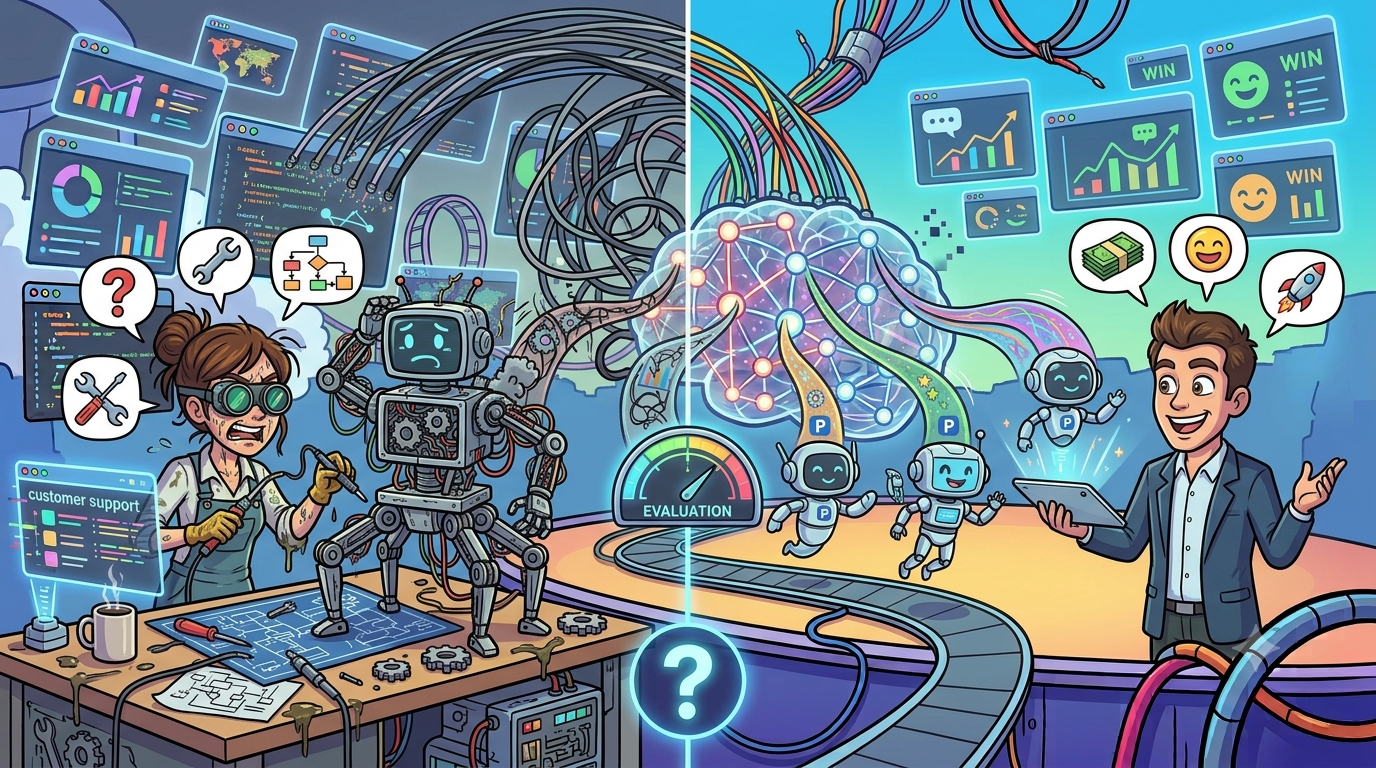
The build vs buy decision for AI customer support is not a simple cost comparison. Building a custom AI support system typically costs $150K to $500K+ in year one and takes 14 to 28 months to reach production, while buying a platform can cost $15 to $85 per agent per month and go live in 4 to 8 weeks. However, "buying" does not mean zero engineering, and "building" does not always mean starting from scratch. The right choice depends on your ticket volume, data sensitivity, integration complexity, and whether AI-powered support is a competitive differentiator or an operational necessity. This guide gives you a decision matrix, real cost breakdowns, and a hybrid approach that most teams overlook.
Table of Contents
The Real Build vs Buy Question
Most build vs buy articles frame this as a binary. It is not. The real question is: where on the spectrum between fully custom and fully managed does your organization belong?
A 2025 Forrester study found that 67% of failed software implementations stem from incorrect build vs buy decisions. That failure rate is not because teams chose wrong randomly. It is because they evaluated the wrong criteria, typically fixating on license cost while ignoring total cost of ownership, opportunity cost, and organizational readiness.
The AI customer support market is projected to grow from $12 billion in 2024 to nearly $48 billion by 2030 (see our latest industry benchmarks), a 25.8% CAGR according to MarketsandMarkets. With that growth comes a flood of platform options and a parallel explosion in open-source tooling. Both paths are more viable than ever, which makes the decision harder, not easier.
What "Building" Actually Requires
Tech Stack Components
Building a custom AI customer support system means assembling and integrating multiple layers of technology. Here is what the stack looks like in practice:
- Natural Language Understanding (NLU) layer. Intent classification, entity extraction, and context management. Open-source frameworks like Rasa or Haystack provide starting points, but production-grade NLU requires extensive training data and ongoing tuning.
- Large Language Model (LLM) integration. Whether you fine-tune an open-source model or call a commercial API, you need a retrieval-augmented generation (RAG) pipeline to ground responses in your knowledge base. Understanding the underlying AI pipeline helps scope this component.
- Conversation orchestration engine. Multi-turn dialogue management, context tracking, handoff logic to human agents, and escalation routing.
- Knowledge base and retrieval system. Vector databases, embedding pipelines, document ingestion workflows, and semantic search. Frameworks like LangChain or Haystack can accelerate this, but you still need to build the connectors and maintain the index.
- Integration layer. APIs connecting to your CRM, ticketing system, order management, billing, authentication, and any other backend your support agents currently access.
- Analytics and monitoring. Conversation logging, resolution tracking, sentiment analysis, hallucination detection, and performance dashboards.
- Admin interface. A way for non-technical teams to update knowledge bases, adjust routing rules, and review AI performance.
Stack Complexity Check: If your support workflow requires accessing more than 3 backend systems (CRM, billing, orders, authentication, etc.), the integration layer alone can consume 60% of total development time, according to CustomGPT research on hidden AI costs. Factor this into your timeline before committing to a custom build.
Team and Timeline
You cannot build production-grade AI customer support with one engineer. Here is the realistic team composition and what each role costs:
Minimum viable team:
- ML/AI Engineer (1-2). Responsible for model selection, fine-tuning, RAG pipeline, and NLU. Average US salary: $178,000 to $189,000/year per Glassdoor and Indeed.
- Backend Engineer (1-2). Builds the integration layer, conversation orchestration, and API infrastructure.
- Frontend Engineer (1). Builds the chat widget, admin dashboard, and analytics interface.
- DevOps/MLOps Engineer (1). Handles model deployment, monitoring, CI/CD pipelines, and infrastructure scaling.
- Product Manager (0.5-1). Defines requirements, prioritizes features, and coordinates with support leadership.
- QA/Test Engineer (0.5-1). Tests conversation flows, edge cases, and regression scenarios.
Fully loaded team cost: A full in-house AI team in the US runs $800,000 to $1,500,000 per year in salaries alone, according to Intellectyx workforce analysis. Add benefits, tooling, and infrastructure, and the fully loaded cost per mid-to-senior AI hire reaches $290,000 to $480,000 per year per Divogue's 2026 hiring analysis.
Timeline reality:
- Phase 1 (Months 1-4). Requirements, architecture, data preparation. Data preparation alone consumes 40-60% of total project time according to Alice Labs implementation research.
- Phase 2 (Months 5-10). Core build, model training, integration development.
- Phase 3 (Months 11-16). Testing, iteration, pilot deployment.
- Phase 4 (Months 17-28). Production rollout, edge case handling, scaling.
Total: 14 to 28 months for a full custom build, per Braincuber's implementation timeline analysis. And 52% of software projects run longer than planned, according to Forrester research.
Ongoing Maintenance Costs
The build cost is just the beginning. 65% of total AI costs materialize after deployment, per CustomGPT's analysis of hidden AI costs.
Ongoing costs include:
- Model retraining and tuning. Customer language, product terminology, and support workflows evolve. Plan for continuous retraining cycles.
- Infrastructure and inference costs. At enterprise scale, inference costs alone run $1,000 to $50,000+ per month depending on volume and model size.
- Knowledge base maintenance. Every product update, policy change, or new feature requires knowledge base updates, re-embedding, and testing.
- Bug fixes and edge cases. AI systems surface new failure modes continuously. Budget 30-50% of initial build cost per year for maintenance.
- Security and compliance updates. SOC 2, GDPR, HIPAA (if applicable), and evolving AI compliance requirements require ongoing compliance work.
The 24-Month TCO Multiplier: Research from Founders Workshop shows that 24-month TCO is typically 1.6x to 2.2x the initial build cost. A $300K initial build becomes $480K to $660K over two years. Factor maintenance into every cost comparison.
What "Buying" Actually Gets You
What's Included Out of the Box
Modern AI customer support platforms typically bundle:
- Pre-trained language models optimized for support conversations, with built-in intent recognition and entity extraction.
- Knowledge base ingestion that can crawl your help center, documentation, and FAQs to generate responses without manual training.
- Conversation routing and escalation with configurable rules for when to hand off to human agents.
- Multi-channel deployment across web chat, email, social media, messaging apps, and voice support channels.
- Analytics dashboards showing resolution rates, customer satisfaction, deflection rates, and agent performance.
- Compliance and security certifications (SOC 2, GDPR, etc.) maintained by the vendor.
Cost ranges:
- Per-agent pricing: $15 to $85 per agent per month depending on tier and features, per Inquirly's pricing analysis.
- Per-resolution pricing: Some platforms charge $0.50 to $1.05 per AI-resolved ticket, compared to $18 to $35 for human-handled tickets, per theStacc cost analysis.
- Volume-based pricing: Small businesses typically pay $80 to $1,500 per month for 100 to 600 conversations.
Deployment timeline: Pre-built AI platforms reach deployment in 4 to 8 weeks, and organizations using them complete deployments 58% faster than custom builders, per Alice Labs.
What You Still Need to Build on Top
"Buying" does not eliminate engineering work. Even with a platform, you will need:
- Custom integrations. Connecting the platform to your specific CRM, order management, billing, and authentication systems. Most platforms offer APIs, but the mapping logic is yours.
- Knowledge base curation. The AI is only as good as the content you feed it. Expect 2 to 4 weeks of initial content preparation and ongoing maintenance.
- Workflow customization. Defining escalation rules, approval flows, and edge case handling for your specific business processes.
- Training and change management. Getting your support team comfortable working alongside AI, adjusting workflows, and handling escalated cases.
- Custom analytics and reporting. Platform dashboards cover basics, but most teams need custom reports tied to their specific KPIs.
Budget 20-40% of the platform cost for integration and customization work in year one.
Lock-in and Migration Risks
Vendor lock-in is not hypothetical. A 2026 Zapier survey of 542 C-level executives found that 81% of organizations are concerned about AI vendor dependency, with 29% reporting they are "very concerned."
Key lock-in risks:
- Data portability. Your conversation history, training data, and knowledge base configurations may not be exportable in a usable format.
- Integration coupling. Custom integrations built against a vendor's API create switching costs that grow over time. 47% of organizations say at least one key business function would stop working without their current AI vendor.
- Pricing escalation. SaaS prices escalate an average of 12.2% annually, which is 4.5x higher than general inflation, per the Vertice SaaS Inflation Index.
- Feature dependency. As you adopt platform-specific features, migration becomes progressively harder.
Lock-in Mitigation Strategy: Before signing any contract, verify three things: (1) your conversation data is exportable in standard formats, (2) your knowledge base content remains yours and is portable, and (3) the contract includes a reasonable exit clause with data export support. A 2026 Parallels survey of 540 IT professionals found that 94% of organizations are concerned about vendor lock-in. Plan your exit before you enter.
Decision Matrix
Use this weighted matrix to score your organization. Rate each factor from 1 (strongly favors buying) to 5 (strongly favors building). Multiply by the weight, then sum.
| Decision Factor | Weight | Buy Signal (Score 1-2) | Build Signal (Score 4-5) |
|---|---|---|---|
| Ticket volume | 3x | Under 5,000/month | Over 50,000/month |
| Data sensitivity | 3x | Standard customer data | Regulated (HIPAA, financial) or highly proprietary |
| Integration complexity | 2x | Standard CRM/ticketing | Deep custom backend systems |
| AI as differentiator | 3x | Operational efficiency play | Core product feature or competitive moat |
| Engineering capacity | 2x | No ML/AI team in-house | Existing ML/AI team with capacity |
| Time to value | 2x | Need results in weeks | Can invest 12+ months |
| Budget (year 1) | 2x | Under $100K available | $500K+ available |
| Customization needs | 2x | Standard support flows | Highly specialized workflows |
| Compliance requirements | 1x | Standard (SOC 2, GDPR) | Industry-specific (HIPAA, PCI-DSS, FedRAMP) |
Scoring guide:
- Total score 20-40: Strong buy signal. A platform will get you to value faster and cheaper.
- Total score 41-60: Hybrid territory. Buy a platform and extend it, or build selectively on open-source foundations.
- Total score 61-100: Strong build signal. Your requirements justify the investment in custom development.
Need help evaluating your specific situation? Talk to our team at BitBytes for a personalized build vs buy assessment based on your stack, volume, and goals.
When to Build
Building your own AI customer support system makes sense when several conditions align simultaneously. No single factor justifies a custom build on its own.
Build when:
- AI-powered support is a product differentiator, not just an operational tool. If your customers choose you partly because of your support experience, a generic platform will not deliver the unique experience you need.
- You handle regulated data that cannot leave your infrastructure. Healthcare (HIPAA), financial services (SOX, PCI-DSS), and government (FedRAMP) environments often require on-premise or private cloud deployment.
- Your support workflows are deeply integrated with proprietary systems. If resolving a ticket requires orchestrating actions across 5+ internal systems with complex business logic, a platform's integration layer may not be flexible enough.
- You have an existing ML/AI team with capacity. Hiring a new team specifically for this project adds $800K+ in year-one salary costs before you write a single line of product code.
- Your ticket volume justifies the investment. At 50,000+ tickets per month, the per-resolution economics of a custom build start to become favorable compared to per-ticket platform pricing.
- You can accept a 14 to 28 month timeline. If the business needs AI support in weeks, building is not an option regardless of other factors.
What "building" looks like in practice today:
Most custom builds are not truly from scratch. Teams assemble open-source components (LangChain for orchestration, Haystack for retrieval, open-source LLMs for inference) and build the glue, business logic, and integrations around them. This approach is sometimes called "composable AI" and reduces development time by 30-40% compared to building every component from the ground up.
When to Buy
Buying a platform is the right call for the majority of organizations, especially those without an existing AI/ML team.
Buy when:
- Speed to value is critical. Platforms deploy in 4 to 8 weeks. If your support team is drowning today, you cannot wait 18 months for a custom build.
- AI support is an operational efficiency play, not a differentiator. If customers do not choose you because of your support AI specifically, a platform delivers 80% of the value at 20% of the cost.
- You lack in-house ML/AI expertise. Hiring AI talent is expensive and competitive. Demand for AI/ML engineers has grown 3.5x since 2023, while the qualified talent pool grew only 1.4x, per Acceler8 Talent market analysis.
- Your budget is under $200K for year one. A platform subscription plus integration work will fit this budget. A custom build will not.
- Your support workflows are relatively standard. If your support involves common patterns (order status, returns, account management, troubleshooting, FAQ), platforms handle these well out of the box.
- You need proven compliance certifications. Established platforms come with SOC 2, GDPR, and often HIPAA certifications already in place. Building and maintaining these yourself costs $50K to $150K+ per year. Explore our list of top support-focused platforms to see what certifications leading vendors carry.
According to Gartner's 2026 survey, 91% of customer service leaders are under executive pressure to implement AI in 2026. For most of them, buying is the only path that meets the timeline.
The Hybrid Approach
The hybrid approach is the most underutilized option and often the smartest one. It combines a platform foundation with custom components where they matter most.
How the hybrid model works:
- Buy the platform layer. Use a commercial platform for the core conversation engine, multi-channel deployment, and baseline analytics.
- Build custom integrations. Develop your own connectors to proprietary backend systems where the platform's standard integrations fall short.
- Build custom AI components for high-value use cases. For your top 3 to 5 most complex support scenarios (the ones that drive the most revenue or cost the most to handle), build custom RAG pipelines or fine-tuned models that plug into the platform.
- Own your knowledge layer. Maintain your knowledge base in a format and system you control, feeding it into the platform via APIs rather than using the platform's proprietary knowledge management.
Benefits of the hybrid approach:
- Time to value: 6 to 12 weeks for the platform layer, with custom components added incrementally.
- Cost: 40-60% less than a full custom build in year one, with the option to bring more components in-house over time.
- Lock-in mitigation: By owning your knowledge layer and custom integrations, you can swap the platform layer without rebuilding everything.
- Progressive investment: Start with the platform, prove ROI, then invest in custom components for the use cases where they deliver measurable value.
The 80/20 Hybrid Rule: In most organizations, 80% of support tickets fall into standard patterns that any platform handles well. The remaining 20% are complex, multi-step, or domain-specific. Build custom AI only for that 20%. This approach typically delivers 90%+ of the value of a full custom build at 40-50% of the cost.
Common Mistakes to Avoid
These mistakes show up repeatedly in build vs buy decisions for AI customer support. Each one can cost months of time and hundreds of thousands of dollars.
- Comparing license cost to build cost without including TCO. The platform license is 30-50% of the actual cost of buying when you include integration, customization, training, and ongoing fees. Similarly, the initial build is only 35-45% of the total cost of building when you include maintenance, retraining, and infrastructure. Compare apples to apples.
- Underestimating ongoing maintenance. After deployment, plan for 30-50% of your initial build cost annually in maintenance. Teams that do not budget for this end up with degrading AI performance within 6 to 12 months.
- Building because "we have engineers." Having a software engineering team is not the same as having an ML/AI team. The skill sets are different. A senior backend engineer cannot build a production RAG pipeline without significant upskilling. The RAND Corporation reports that 80.3% of enterprise AI projects fail to deliver promised business value, and skill gaps are a primary cause.
- Buying without an exit strategy. Sign a multi-year contract without data portability guarantees, and you are locked in. Negotiate data export, API access to your conversation history, and reasonable termination clauses before signing.
- Ignoring the opportunity cost of engineering time. Every engineer working on AI customer support is not working on your core product. If your product roadmap is already constrained by engineering capacity, diverting resources to build support AI has a real cost beyond salaries.
- Overweighting the demo. Platform demos show the best-case scenario. They do not show integration complexity, edge case handling, or performance degradation at scale. Run a paid pilot with your actual data before committing. Use a structured buyer's evaluation checklist to compare vendors objectively.
- Skipping the pilot entirely. Whether building or buying, pilot with a small segment first. Route 10-20% of tickets through the AI system, measure resolution rates and customer satisfaction, then scale.
- Not defining success metrics upfront. "Better customer support" is not a metric. Define specific targets: ticket deflection rate, first-response time, CSAT score improvement, cost per resolution. Without these, you cannot evaluate whether your decision was correct.
Ready to make the right build vs buy decision for your team? Schedule a strategy session with BitBytes and get a tailored recommendation based on your support volume, tech stack, and business goals.
How AI Customer Support Costs Scale with Ticket Volume
Cost dynamics change significantly at different ticket volumes. What makes sense at 1,000 tickets per month may be wasteful at 100,000.
Low volume (under 2,000 tickets/month):
- Buy signal is strongest here. Per-resolution pricing models ($0.50 to $1.05 per AI resolution) keep costs proportional to value delivered. AI tools for small businesses are designed precisely for this tier.
- Total platform cost: $1,000 to $3,000/month including agent seats and AI resolution fees.
- Custom build is almost never justified. The ROI timeline stretches beyond 5+ years.
Medium volume (2,000 to 20,000 tickets/month):
- Platform cost: $3,000 to $15,000/month. Annual spend: $36,000 to $180,000.
- Custom build becomes worth evaluating if ticket volume is growing rapidly and you project crossing 50,000/month within 18 months.
- Hybrid approach is often optimal at this tier: platform for baseline, custom integrations for complex workflows.
High volume (20,000 to 100,000+ tickets/month):
- Platform cost at scale: $15,000 to $85,000+/month. Enterprise platform contracts at this volume run $180,000 to $1,000,000+ annually.
- Custom build economics become favorable if you can achieve comparable automation rates. At 100,000 tickets/month with 60% automation, a custom system handling 60,000 tickets/month at $0.05 to $0.15 per ticket (infrastructure cost) compares favorably to platform pricing of $0.50 to $1.05 per resolution.
- However, reaching that 60% automation rate takes 12 to 18 months of tuning for a custom build, while platforms often hit 40-50% deflection within the first quarter.
The Crossover Point: For most organizations, the cost crossover where building becomes cheaper than buying on a per-ticket basis occurs around 40,000 to 60,000 tickets per month, assuming you already have an ML team in place. Below that volume, the fixed costs of a custom build (team, infrastructure, maintenance) make buying more economical. Above it, the marginal cost advantage of owning your infrastructure compounds with volume.
Data Privacy and Compliance Considerations
Data handling is often the factor that tips the build vs buy decision for regulated industries.
When compliance drives the build decision:
- HIPAA-covered entities that process protected health information (PHI) in support interactions. While some platforms offer HIPAA-compliant tiers, the shared infrastructure model may not satisfy your compliance team or auditors.
- Financial services firms subject to SOX, PCI-DSS, or FINRA regulations that require full audit trails and data residency controls.
- Government contractors requiring FedRAMP authorization or operating in air-gapped environments.
- Organizations subject to data residency laws (EU data must stay in EU, etc.) that cannot use platforms hosted exclusively in US data centers.
When platforms handle compliance well enough:
- SOC 2 Type II certification is standard among established AI support platforms. If this is your primary compliance requirement, buying is straightforward.
- GDPR compliance is well-supported by most major platforms, including data processing agreements, right-to-erasure support, and EU data centers.
- Standard data encryption (at rest and in transit) is table stakes for any reputable platform.
Key compliance questions to ask platform vendors:
- Where is customer conversation data stored, and can you specify the region?
- How is data used for model training, and can you opt out?
- What data do you retain after contract termination, and for how long?
- Can you provide a SOC 2 Type II report and penetration test results?
- Do you support single-tenant deployment for sensitive workloads?
Integration Complexity as a Decision Driver
The number and depth of backend integrations required is one of the most reliable predictors of whether to build or buy.
Simple integration scenarios (favor buying):
- Connecting to a major CRM (Salesforce, HubSpot) with standard data fields.
- Pulling order status from an e-commerce platform with a well-documented API.
- Syncing with a standard ticketing system for escalation routing.
Most platforms offer pre-built connectors for these scenarios. Setup time: days to weeks.
Complex integration scenarios (favor building or hybrid):
- Multi-system orchestration. Resolving a single ticket requires querying 4+ backend systems, applying business logic across the results, and executing write operations back to multiple systems.
- Real-time data requirements. The AI needs sub-second response times for live inventory, pricing, or account data that changes frequently.
- Custom authentication flows. Your support AI needs to verify user identity through proprietary authentication systems before accessing account data.
- Legacy system integration. Backend systems with SOAP APIs, custom protocols, or no API at all require custom middleware.
The integration audit:
Before making your decision, map every backend system the AI needs to access. For each, document:
- API availability and documentation quality
- Authentication requirements
- Read vs write access needs
- Data freshness requirements
- Volume and rate limits
If more than 3 integrations require custom middleware, the hybrid approach (platform plus custom integration layer) is usually the best path.
Team Readiness Assessment
Your current team's capabilities should heavily influence the build vs buy decision. Honest self-assessment here prevents the most expensive mistakes.
Skills needed for a custom build:
- ML engineering. Model selection, fine-tuning, prompt engineering, RAG pipeline development, evaluation methodology.
- NLP expertise. Intent classification, entity extraction, conversation design, multi-turn dialogue management.
- MLOps. Model deployment, monitoring, A/B testing, rollback procedures, infrastructure scaling.
- Data engineering. Data pipeline construction, knowledge base management, embedding generation, vector database administration.
- Security engineering. AI-specific security (prompt injection prevention, data leakage protection, adversarial input handling).
Honest assessment questions:
- Do you have at least 2 engineers with production ML experience (not just Jupyter notebook prototypes)?
- Has your team deployed and maintained a production ML system for at least 12 months?
- Do you have MLOps infrastructure (model registry, experiment tracking, automated retraining pipelines)?
- Can you absorb 6+ months of engineering time without impacting your core product roadmap?
- Does your team have experience with conversational AI specifically, not just ML in general?
If you answered "no" to 3 or more of these questions, building carries significant execution risk. Consider buying or the hybrid approach.
Future-Proofing Your Decision
The AI landscape is shifting rapidly. Gartner predicts that by 2029, agentic AI will autonomously resolve 80% of common customer service issues without human intervention, per their March 2025 press release. Your decision today should account for where the technology is heading.
If you build:
- Design your architecture to be model-agnostic. The LLM you choose today may not be the best option in 12 months. Abstract the model layer so you can swap providers without rewriting your application.
- Invest in evaluation infrastructure from day one. Automated testing, regression detection, and performance benchmarking will save you when upgrading models or changing architectures.
- Plan for agentic capabilities. Support AI is evolving from Q&A bots to autonomous agents that can take actions (process refunds, update accounts, schedule appointments). Understanding the difference between agentic and generative AI helps scope this correctly. Build your orchestration layer to support tool use and multi-step reasoning.
If you buy:
- Choose platforms with open APIs and data portability. Your conversation data and knowledge base should be exportable in standard formats.
- Negotiate price caps or escalation limits in multi-year contracts. With SaaS prices rising 12.2% annually, uncapped pricing can erode your ROI.
- Evaluate the vendor's agentic AI roadmap. Platforms that support autonomous actions (not just responses) will deliver significantly more value over the next 2 to 3 years. See our roundup of top voice agent platforms for examples of this evolution.
If you go hybrid:
- Own the knowledge layer and data pipeline. These are the components that become more valuable over time as you accumulate training data and domain-specific knowledge.
- Use the platform for conversation management and channel deployment. These are commodity capabilities where platforms have significant advantages.
- Build custom decision engines for your highest-value support scenarios. This is where your domain expertise creates a moat.
Measuring Success After You Decide
Whether you build, buy, or go hybrid, define success metrics before deployment and track them rigorously.
Core metrics to track:
- Ticket deflection rate. Percentage of incoming tickets fully resolved by AI without human intervention. Target: 40-60% in the first 6 months, based on McKinsey research on AI-enabled self-service.
- Cost per resolution. Total cost (platform fees + infrastructure + team time) divided by total resolutions. Compare this against your current cost per human-handled ticket ($18 to $35). Our AI voice agent pricing breakdown covers how voice channel costs factor in.
- Customer satisfaction (CSAT). AI-resolved tickets should maintain or improve your CSAT score. A drop of more than 5 points indicates quality issues.
- First response time. AI should reduce this to under 30 seconds for the tickets it handles.
- Escalation rate. Percentage of AI-initiated conversations that require human takeover. Track this over time; it should decrease as the system learns.
- Hallucination rate. Percentage of AI responses containing factually incorrect information. This is the most critical quality metric for AI support. Target: under 2%.
- Time to resolution. End-to-end time from ticket creation to resolution. Track separately for AI-only and AI-plus-human resolutions.
Review cadence:
- Weekly in the first month post-launch.
- Bi-weekly for months 2 through 6.
- Monthly after month 6.
If your deflection rate plateaus below 30% after 3 months, reassess your knowledge base quality, integration depth, and conversation design before concluding the technology is not working.
Frequently Asked Questions
A custom AI customer support system typically costs $150,000 to $500,000+ for the initial build, depending on complexity, team location, and integration requirements. This includes the engineering team, infrastructure setup, model development, and testing. However, the initial build represents only 35-45% of the true cost. Annual maintenance (model retraining, infrastructure, knowledge base updates, bug fixes) adds 30-50% of the initial build cost per year. Over 24 months, total cost of ownership is typically 1.6x to 2.2x the initial build cost. For a $300,000 initial build, expect $480,000 to $660,000 in total spending over two years.
Platform-based solutions typically deploy in 4 to 8 weeks, including initial setup, knowledge base ingestion, and basic integration work. Custom builds take 14 to 28 months from project kickoff to full production deployment, with data preparation consuming 40-60% of that timeline. The hybrid approach (platform foundation with custom components) usually reaches initial deployment in 6 to 12 weeks, with custom components added incrementally over the following 3 to 6 months. Keep in mind that 52% of software projects run longer than planned, so pad your timeline by at least 30%.
Modern AI customer support systems can realistically achieve 40-60% ticket deflection within the first 6 to 12 months, meaning 40-60% of incoming tickets are fully resolved by AI without human intervention. This depends heavily on your knowledge base quality, integration depth, and the complexity of your support scenarios. Simple, repetitive queries (order status, password resets, FAQ-type questions) see deflection rates of 70-80%. Complex, multi-step issues may only achieve 15-25% automation initially. Gartner projects that by 2029, agentic AI will autonomously resolve 80% of common customer service issues, but current technology is not there yet for most organizations.
To avoid vendor lock-in, take these steps before signing any platform contract: (1) Verify your conversation data is exportable in standard formats (JSON, CSV) at any time during and after the contract. (2) Ensure your knowledge base content remains your intellectual property and can be exported. (3) Negotiate a data export clause that requires the vendor to provide all your data within 30 days of contract termination. (4) Maintain your knowledge base in a system you control and feed it to the platform via APIs, rather than relying solely on the platform's knowledge management. (5) Document all custom integrations and ensure they are built against standard APIs where possible, not vendor-specific SDKs. (6) Consider a multi-vendor strategy for critical components, so no single vendor becomes a single point of failure.
Yes, and this is often the smartest approach. Use a platform selection framework to start with the right vendor, then validate that AI customer support works for your use case, establish baseline metrics, and build organizational muscle around AI-augmented support workflows. Use the platform period (typically 12 to 18 months) to: (1) Collect and own your conversation data, which becomes training data for a future custom build. (2) Document your most complex support scenarios and the integrations they require. (3) Hire and ramp your ML/AI team incrementally rather than all at once. (4) Build custom components alongside the platform in a hybrid model. The key is ensuring your platform contract allows data export and does not lock you into proprietary formats. When you do migrate, plan for a 3 to 6 month transition period running both systems in parallel.
After the initial build, maintaining a custom AI support system requires a dedicated team of 3 to 5 engineers minimum. This typically includes: 1 ML engineer for model maintenance, retraining, and performance optimization; 1 backend engineer for integration maintenance, bug fixes, and new feature development; 1 MLOps/DevOps engineer for infrastructure, monitoring, and deployment pipelines; and 0.5 to 1 product/content person for knowledge base updates and conversation design. At enterprise scale (50,000+ tickets/month), the maintenance team may grow to 6 to 10 people. This ongoing team cost of $400,000 to $800,000+ per year is the most frequently underestimated factor in the build decision.
Open-source frameworks like LangChain, Haystack, and Rasa provide substantial building blocks that reduce custom development time by 30-40%. However, "open source" does not mean "free." You still need engineers to assemble, customize, deploy, and maintain these components. Open source is best viewed as accelerating the build path, not as a third option between build and buy. It is most viable when: (1) You have engineers experienced with these specific frameworks. (2) Your use case aligns well with the framework's strengths (e.g., Haystack for document retrieval, LangChain for LLM orchestration). (3) You are comfortable with the maintenance burden, since open-source projects can change direction or slow down in development. Note that open-source LLMs currently account for only 11% of enterprise market share by production API usage, per industry analysis, suggesting most production deployments still rely on commercial models even within open-source orchestration frameworks.