
If you are reading this, you have probably already run a pilot, sat through a sales demo, or inherited a contract that is not quite delivering the resolution rate your board expects. That is a normal place to be. The AI customer service agent market has moved fast in the last 18 months, and the platform that looked cutting-edge a year ago may not fit your current ticket volume, budget, or compliance needs. This guide compares five specific alternatives worth shortlisting: Sierra AI, LorikeetCX, UseFini, Quickchat AI, and Kore.ai. Each serves a different combination of company size, industry regulation, and budget, so the "best" one depends entirely on your specific constraints. Every pricing figure, rating, and feature claim below was checked against vendor pricing pages, G2, and Capterra as of July 2026.
Evaluating platforms vs building custom? BitBytes designs and ships production AI support agents. → Talk to our engineers
Table of Contents
Quick Comparison Table
Use this table to narrow your shortlist to two or three candidates before reading the full breakdowns below.
| Platform | Pricing Model (Verified) | Best Fit | G2 / Capterra Rating |
|---|---|---|---|
| Sierra AI | Custom, outcome-based; typical $150K-$350K+ year one | Large enterprise, brand-sensitive CX | 4.4/5 (14 reviews, G2) |
| LorikeetCX | $1,500-$4,000/mo (annual) + per-resolution credits; custom Enterprise | Regulated, high-complexity support (fintech, healthtech) | No G2 reviews yet |
| UseFini | $3,600-$9,000/mo, per-resolution overage from $0.49-$0.89 | Mid-market to enterprise fintech/regulated support | 4.9/5 (8 reviews, G2) |
| Quickchat AI | Free plan; paid from $9/mo; Enterprise from $0.50/resolution | Startups to SMB, budget-conscious teams | Limited independent coverage under this name |
| Kore.ai | Self-serve from ~$50-60/mo; conversation billing at $0.20/15-min session; Enterprise custom | Large enterprises needing a broad conversational AI platform, not just support | 4.6/5 (463 reviews, G2); 4.4/5 (Capterra) |
Why alternative-vendor searches spike before a renewal. Teams typically start comparing named competitors 60-90 days before a contract renewal or when a pilot's resolution rate stalls below expectations. If you are in that window, prioritize pricing transparency and contract flexibility over feature lists, since most of these platforms have comparable core capability at the enterprise tier.
How We Evaluated These Tools
Every claim in this guide was checked against a primary source before publication. Here is the exact evaluation criteria used.
- Pricing accuracy: Every dollar figure was pulled directly from the vendor's live pricing page or, where pricing is not published, from third-party pricing analyses that cite direct vendor quotes. Figures are marked accordingly.
- Review platform ratings: Star ratings and review counts came from live G2 and Capterra product pages, not aggregator summaries. Where a vendor name collides with an unrelated product on a review platform (this happened with one entry below), that ambiguity is flagged rather than papered over.
- Feature verification: Integration lists, compliance certifications, and channel support were cross-checked against each vendor's documentation and public trust pages, following the same buyer's evaluation checklist we recommend to readers shortlisting a platform.
- No first-hand usage claims: This guide does not claim to have run these platforms in production. All performance figures (resolution rates, CSAT scores) are attributed to the vendor or to independent reviewers, never presented as internally tested results.
- Recency: All data was verified as of July 2026. AI vendor pricing changes frequently; if you are reading this months later, confirm current numbers directly with the vendor before budgeting.
- Neutral inclusion criteria: Products were selected for segment coverage (All-in-One AI Support and AI Agent Assist use cases), not for partnership or advertising relationships.
Sierra AI
What it does
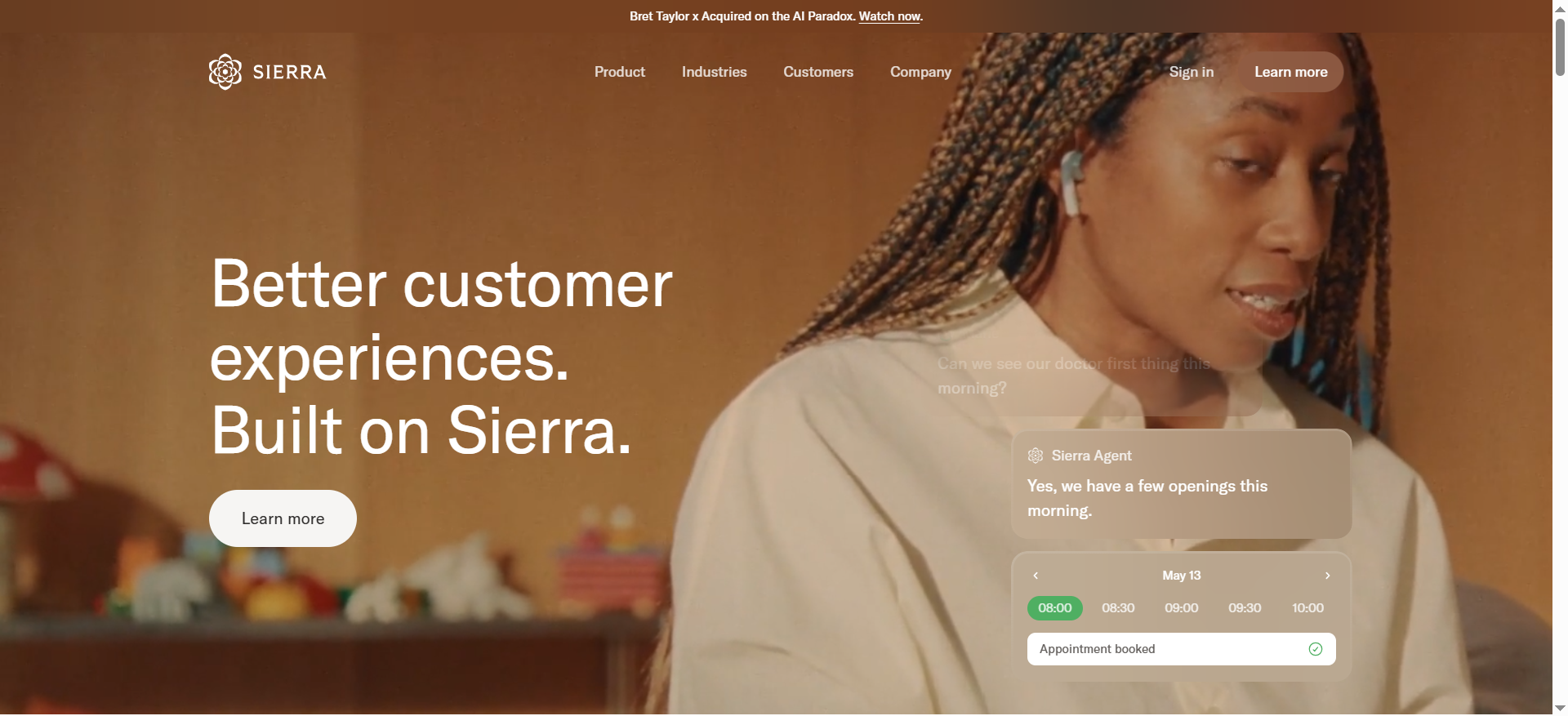
Sierra AI is a conversational AI platform built for enterprises that want an AI agent to hold customer conversations and take real actions inside connected systems, such as updating orders, managing CRM records, and resolving tickets without human intervention. It positions itself as a supervised, brand-safe agent layer rather than a simple chatbot.
Why teams use it
- Enterprise credibility: Sierra's founding team has deep enterprise software pedigree, which reviewers repeatedly cite as a reason for choosing the platform over less-established options.
- Real system actions: G2 reviewers highlight the platform's ability to go beyond chat and execute actions like CRM updates and order changes, reducing manual agent workload.
- Cross-functional workflow fit: Reviewers in design and product roles note that Sierra gives customer experience and engineering teams a shared interface, which some competitors do not offer as cleanly.
Best fit / not a fit
- Best fit: Enterprises (typically 1,000+ employees) with dedicated budget for a six-figure annual AI support contract and an internal team capable of managing a complex implementation.
- Not a fit: Startups, SMBs, or any team that needs transparent self-serve pricing. Sierra does not publish a pricing page, and reviewers specifically call out limited transparency on pricing as a drawback.
Key capabilities
- Guardrailed autonomous actions across CRM, order management, and ticketing systems.
- Voice and chat support on a shared underlying engine, so a voice deployment can reuse the same agent logic as chat.
- Human-in-the-loop escalation with configurable supervision levels.
- Omnichannel deployment with brand-aligned tone customization.
Pricing (verified)
Sierra AI does not publish public pricing. Based on aggregated analyst and buyer-reported figures, typical year-one cost runs $200,000 to $350,000+, combining an annual platform license (roughly $150,000-$250,000) with implementation and setup fees ($50,000-$200,000) depending on integration complexity. Sierra uses an outcome-based pricing philosophy, meaning cost is tied to resolutions delivered rather than seats, but the exact rate card is only available through a sales quote.
Free tier?
No. There is no self-serve trial or free tier. Access requires a discovery call and a scoped pilot through Sierra's sales team.
Downsides/limitations
- Pricing opacity makes it difficult to budget without engaging sales, and multiple G2 reviewers flag this as a genuine friction point in the buying process.
- Complex setup, with reviewers reporting more bugs compared to competitors during initial configuration.
- Unproven long-term scalability at enterprise volume is cited as an open question by at least one reviewer, since public case study depth is thinner than some competitors.
- Limited customization relative to competitors was flagged by at least one mid-market reviewer.
LorikeetCX
What it does
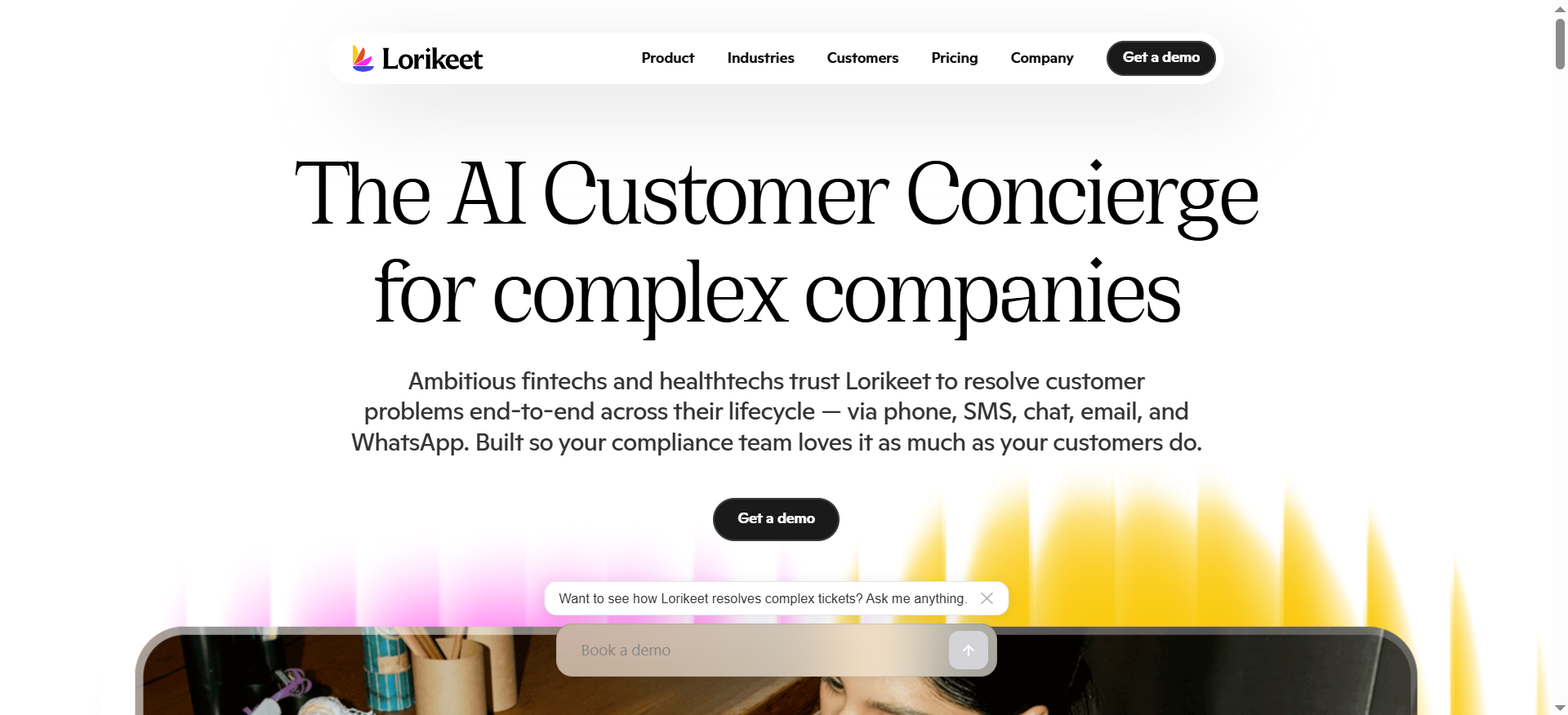
LorikeetCX (Lorikeet) is an AI customer support agent built specifically for complex, high-stakes support cases in regulated industries: fintech, healthtech, insurance, and energy. Rather than answering from a knowledge base and guessing, it is designed to follow the same multi-step workflows your human support team follows, including custom handling for scenarios like disputed charges or compromised accounts.
Why teams use it
- Outcome-aligned pricing: Lorikeet only charges for tickets it resolves, and the customer holds veto power over what counts as a resolution, which removes the incentive to inflate deflection numbers.
- Compliance-first design: The platform is built around SOC 2 Type II, ISO 27001, and HIPAA BAA availability from the Scale tier up, appealing directly to regulated-industry buyers.
- Multi-step workflow fidelity: Rather than a single-shot RAG answer, Lorikeet is architected to replicate the branching logic support teams use for delayed orders, refunds, and account security issues.
Best fit / not a fit
- Best fit: Fintech, healthtech, insurance, and other regulated-industry teams with 5,000-20,000+ monthly tickets who need audit-ready AI decisions and are willing to work with a sales-led, custom-contract vendor.
- Not a fit: Very small teams or anyone wanting instant self-serve signup. Lorikeet has no free trial and requires a demo call to start.
Key capabilities
- Omnichannel resolution across chat, email, voice, SMS, and WhatsApp.
- Concierge actions that connect to systems like Zendesk, Stripe, and internal APIs to actually resolve issues, not just answer questions.
- Unlimited testing, simulations, and evaluations included on every tier, useful for teams that need to validate AI behavior before go-live in a regulated environment.
- Custom guardrails tunable per workflow, which matters for teams that cannot tolerate generic AI behavior on sensitive account actions.
Pricing (verified)
Per Lorikeet's published pricing page (verified July 2026), plans are:
- Start: $1,500/month (paid annually), for teams under 5,000 monthly tickets. Includes 18,000 credits/year; chat, email, and SMS resolutions run $0.95/credit, voice resolutions (up to 3 minutes) run $1.50/credit.
- Scale: $4,000/month (paid annually), for 5,000-20,000 monthly tickets. Includes 48,000 credits/year at a lower $0.80/credit for chat, email, and SMS, and $1.20/credit for voice.
- Enterprise: Custom pricing for 20,000+ monthly tickets or complex implementations.
There are no per-seat charges and no implementation or platform fees on any tier, a notable difference from vendors that bill separately for onboarding.
Free tier?
No free tier and no self-serve free trial. All plans require a demo and a standard or custom agreement.
Downsides/limitations
- No independent review history yet. As of this writing, Lorikeet has no reviews on G2, which makes it harder to validate vendor claims against a large sample of buyer experiences compared to more established platforms.
- Sales-led onboarding only, meaning there is no way to self-test the product before committing to a demo cycle.
- Narrower horizontal use case than general-purpose platforms; the product is explicitly optimized for complex, regulated support rather than simple FAQ deflection, so simpler support operations may be paying for sophistication they do not need.
UseFini
What it does
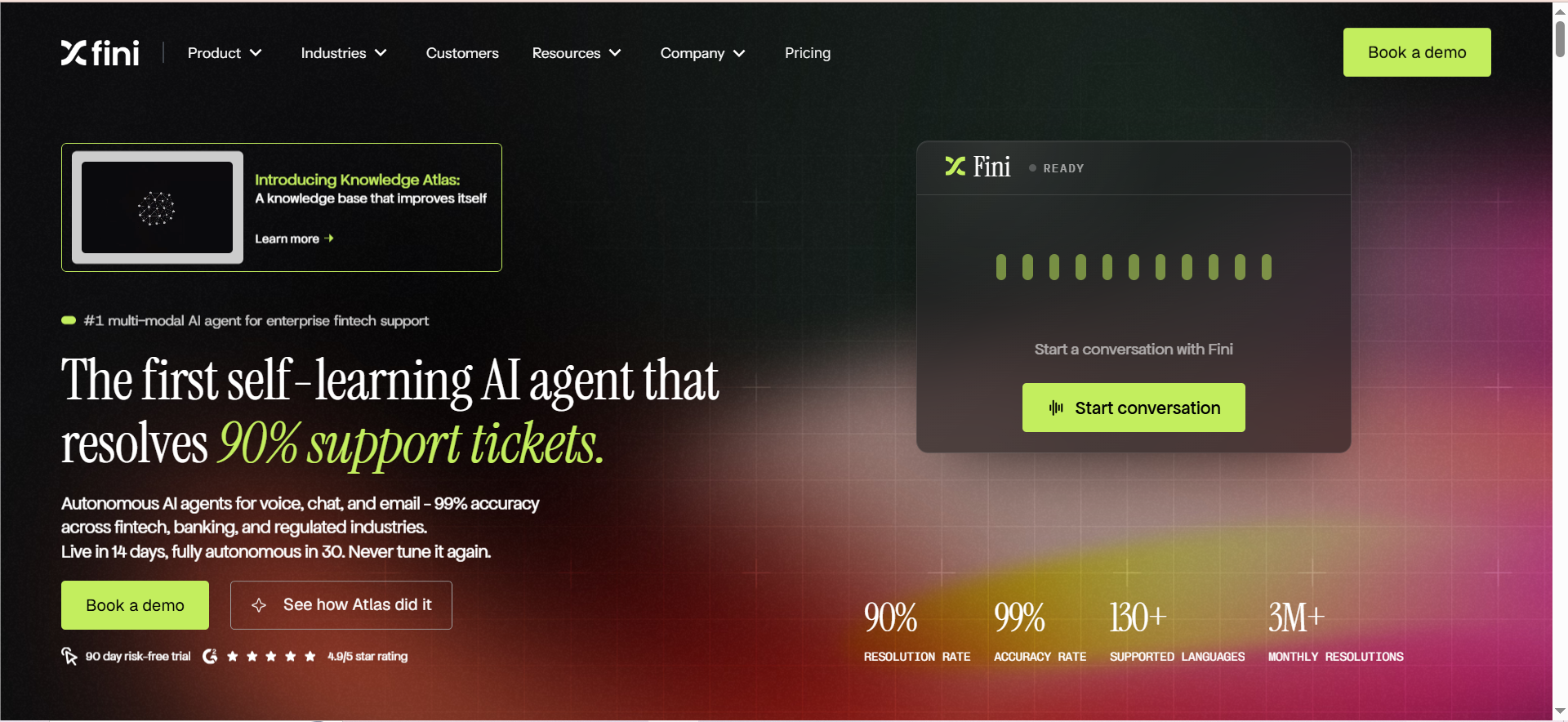
UseFini (marketed as Fini) is an autonomous AI support agent built for enterprise fintech, banking, and other regulated industries. It uses what the vendor calls a "RAGless Retrieval Engine," a proprietary architecture intended to reduce hallucination risk by constraining responses to approved internal knowledge and learning directly from real support tickets.
Why teams use it
- Strong review sentiment: UseFini holds a 4.9 out of 5 rating from 8 reviews on G2, with reviewers specifically praising responsiveness of the implementation team and ease of integration.
- Deep helpdesk integrations: Native connections to Zendesk, Intercom, Salesforce, HubSpot, Front, Gorgias, and chat channels including Slack, Discord, and WhatsApp mean it can slot into an existing support stack without a rip-and-replace migration.
- Compliance depth: UseFini's certifications include SOC 2 Type II, ISO 27001, ISO 42001 (AI governance), GDPR, PCI-DSS Level 1, and HIPAA, a broader compliance stack than most competitors in this list, which matters for buyers in regulated industries evaluating AI vendors.
Best fit / not a fit
- Best fit: Mid-market to enterprise teams in fintech, banking, healthcare, and other regulated verticals processing at least 2,000 resolutions a month, who value a compliance-first vendor with real per-resolution economics.
- Not a fit: Small teams with under a few hundred tickets a month; the pricing floor makes this uneconomical below a certain volume, and there is no self-serve free tier to test the waters cheaply.
Key capabilities
- Action-taking agent: Can initiate Stripe refunds, cancel cards, update accounts, and verify identity through native API integrations, not just answer questions.
- Knowledge Atlas: A nightly knowledge base scan (on the Scale tier and above) designed to catch stale or conflicting documentation before it degrades AI answers.
- Voice AI priced per answered call, with multilingual support included at no extra cost.
- Dedicated AI engineer and white-glove onboarding included from the Scale tier up.
Pricing (verified)
Per UseFini's published pricing page (verified July 2026), current tiers are:
- Growth: $3,600/month (or $3,000/month billed annually, $36,000/year). Includes 2,000 resolved tickets/month; overage bills at $0.89 per resolution (or $0.69 per conversation, if billed that way).
- Scale: $9,000/month (or $7,500/month billed annually, $90,000/year). Includes 8,000 resolved tickets/month plus 500 answered voice calls; overage bills at $0.69 per resolution.
- Enterprise: Listed starting around $18,000/month in vendor FAQ copy, with unlimited resolved tickets and overage from $0.49 per resolution, plus 2,500 included voice calls.
There are no per-seat fees on any tier, and unused monthly allowance rolls forward one month.
Free tier?
No permanent free tier. UseFini offers a 90-day free pilot for Enterprise prospects only, run on live traffic with resolution, CSAT, and accuracy targets agreed in writing before the paid plan begins.
Downsides/limitations
- High entry price relative to self-serve competitors; the $3,600/month floor prices out very small teams.
- Small G2 review sample (8 reviews) limits how much statistical confidence buyers can place in the current rating, even though the sentiment is strongly positive.
- Enterprise-first design means smaller, less-regulated businesses may be paying for compliance depth (ISO 42001, PCI-DSS Level 1) they do not strictly need.
Quickchat AI
What it does
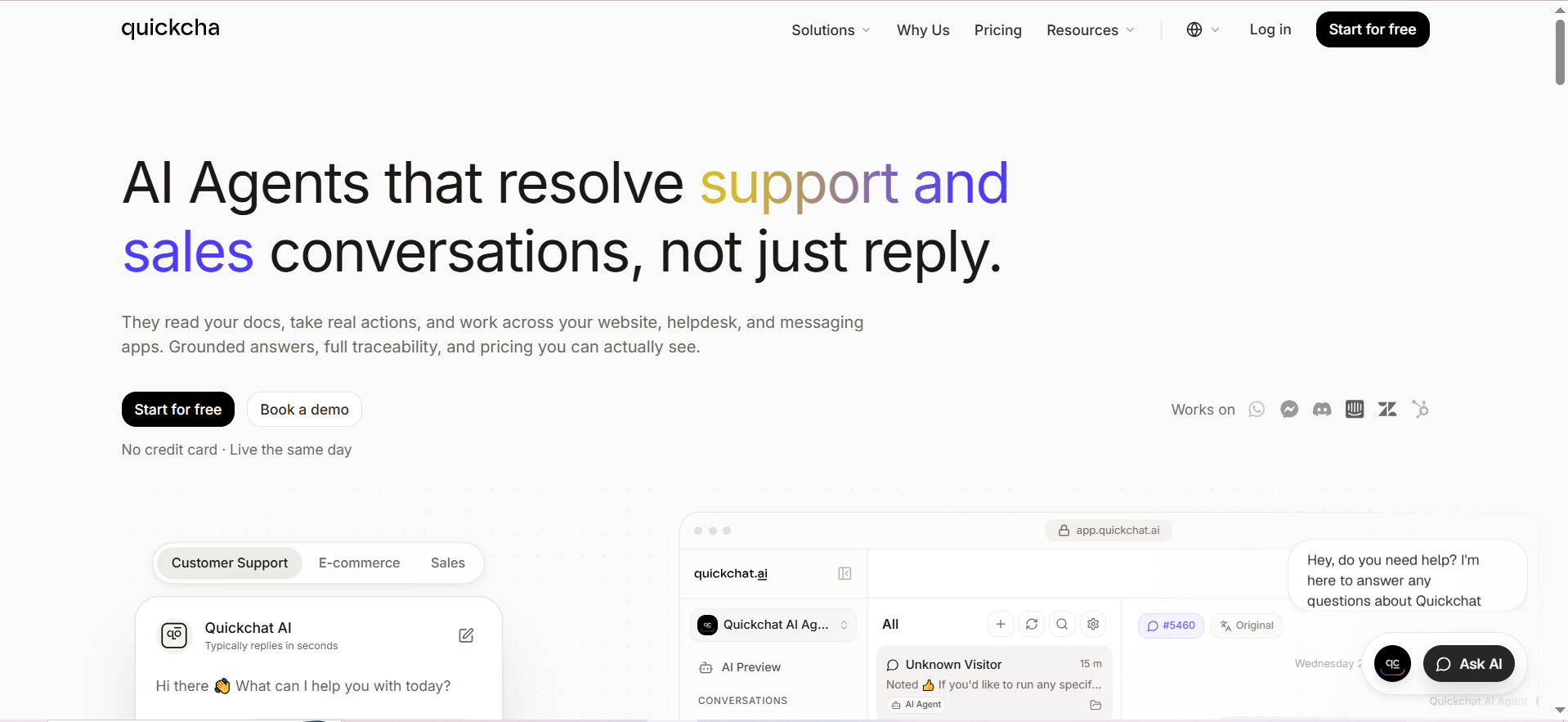
Quickchat AI builds custom AI agents for customer support, sales, and e-commerce conversations, using retrieval-augmented generation to ground responses in a business's own data. It is positioned as a more accessible, self-serve alternative to enterprise-only platforms, with deployment across website chat, WhatsApp, Discord, Slack, and major helpdesks.
Why teams use it
- Genuinely free tier: Unlike every other platform in this comparison, Quickchat AI has a real, permanent free plan that requires no credit card, making it the only option here a solo founder can test the same day.
- Transparent, published pricing: Every tier's price and feature limits are listed publicly, down to the exact number of AI credits and knowledge base articles included, a level of transparency none of the enterprise-only vendors in this list match.
- Fast time to deploy: Native integrations with Zendesk, Intercom, HubSpot, Shopify, and WordPress mean most teams can have a working agent live within a day, without a sales cycle.
Best fit / not a fit
- Best fit: Startups, solo founders, and SMBs who want to test an AI agent with no procurement process, and e-commerce teams needing Shopify-native support automation.
- Not a fit: Large enterprises needing dedicated account management, deep compliance attestations, or guaranteed SLAs; the self-serve tiers do not include the white-glove onboarding or compliance depth that regulated enterprise buyers require.
Key capabilities
- Tiered AI models: Access to different underlying model tiers (standard vs. advanced) depending on plan, letting teams pay less for simpler use cases.
- Unlimited AI Actions on every plan, including the free tier, allowing the agent to call external tools and APIs regardless of subscription level.
- Conversation analytics including sentiment analysis, CSAT collection, and AI-generated insights, available even on lower tiers.
- MCP support, letting teams manage their AI agent through Claude or ChatGPT interfaces directly.
Pricing (verified)
Per Quickchat AI's published pricing page (verified July 2026), current plans are:
| Plan | Monthly Price | AI Credits/mo | User Licenses |
|---|---|---|---|
| Free | $0 | 50 | 1 |
| Starter | $9 | 150 | 1 |
| Basic | $29 | 500 | 1 |
| Essential | $99 | 3,000 | 1 |
| Professional | $299 | 9,000 | 3 |
| Business | $999 | 30,000 | 10 |
| Enterprise | From $0.50/resolution, 2,000 resolutions/mo minimum | Custom | Custom |
Annual billing saves roughly 17% (two months free) across all self-serve tiers.
Free tier?
Yes. The Free plan includes 50 AI credits per month, 1 user license, and 50 knowledge base articles, with no credit card required to start.
Downsides/limitations
- Limited independent review coverage. Searches for "Quickchat" on both G2 and Capterra surface an unrelated product with the same name (a video interviewing tool), meaning buyers cannot easily cross-reference Quickchat AI specifically against a large, verified review sample the way they can with better-established competitors.
- Credit-based limits at lower tiers mean high-volume teams will outgrow the Basic or Essential plans quickly and need to budget for Professional or Business.
- Fewer enterprise-grade guarantees (dedicated account teams, custom SLAs, data residency options) compared to the enterprise-only platforms in this list.
Kore.ai
What it does
Kore.ai is a broader conversational AI and agentic automation platform (the XO Platform) that supports customer service use cases alongside virtual assistants, voice bots, and internal automation. It is one of the more established players in this comparison, with the largest independent review base by far.
Why teams use it
- Largest verified review base in this comparison: Kore.ai holds a 4.6 out of 5 rating from 463 reviews on G2 and a 4.4 out of 5 rating on Capterra, giving buyers far more data points to validate vendor claims against than any other platform here.
- Deep NLP feature set: G2 and Capterra reviewers consistently point to strong natural language understanding, including handling multiple intents in one conversation, managing interruptions, and extracting entities from user utterances.
- Broad channel support: Easy integration with Messenger, Slack, Microsoft Teams, and Skype alongside standard web and voice channels.
Best fit / not a fit
- Best fit: Larger enterprises that want one platform spanning customer service, internal virtual assistants, and voice automation, and that have technical staff available to manage a more complex build.
- Not a fit: Small, non-technical teams. Reviewers consistently describe a steep learning curve and note that the platform's broad feature surface can be hard to maintain without dedicated developer resources.
Key capabilities
- Multi-intent conversation handling and sentiment analysis built into the core NLP engine.
- Automation AI, Search AI, Contact Center AI, and Agent AI as distinct billable modules, letting large organizations mix and match capability.
- Bot flow builder that reviewers describe as easy to use for constructing conversation logic, despite the platform's overall complexity.
- Enterprise-grade access controls and analytics/reporting suited to large, multi-team deployments.
Pricing (verified)
Kore.ai does not publish a single, clear pricing page, but the following figures are confirmed through vendor documentation and third-party pricing breakdowns:
- Free credits for new accounts: New Standard workspace accounts start with $500 in free credits, shared across virtual assistants in the workspace.
- Conversation-based billing: Standard usage bills at $0.20 per 15-minute conversation session, drawn from free or paid credits.
- Self-serve tiers (third-party reported): An Essential plan around $50-60/month and an Advanced plan around $180/month appear on some third-party marketplaces, though Kore.ai's own site does not list these as an official self-serve pricing page.
- Standard Support upgrade: Starts at $1,000/month once free credits are exhausted.
- Enterprise: Custom quote required; some analyst estimates place large enterprise deployments in the range of $300,000+ annually, though this is not vendor-confirmed.
Free tier?
No permanent free plan, but every new account starts with $500 in free credits for evaluation before you need to fund the account or move to a custom Enterprise contract.
Downsides/limitations
- Pricing transparency is weak. Multiple review platforms and analyst sources agree that enterprise deals require a direct sales quote, and even self-serve tier pricing is inconsistently documented across sources.
- Steep learning curve for non-technical teams. Both G2 and Capterra reviewers describe documentation as "overwhelming for first-time users."
- Integration configuration risk. At least one Capterra reviewer warned that integration setup "can be very messy and impactful on CX," where a single misconfiguration can drop chats or surface incorrect information. Independent analysis on Gartner Peer Insights echoes the same theme: strong capability paired with a steep implementation curve.
- Version instability concerns. A Capterra reviewer noted frustration with frequent, unannounced platform changes causing instability, a real consideration for teams that need predictable behavior in production.
Decision Matrix: Which Alternative Fits Your Team
Use this matrix to cross-reference your team size, regulatory profile, and technical capacity against the five platforms.
| Your Situation | Recommended Platform(s) | Why |
|---|---|---|
| Solo founder or small team, no procurement process, testing an idea | Quickchat AI | Only platform with a genuine free tier and same-day self-serve setup |
| Fintech/healthtech with 5,000-20,000+ tickets/mo, need audit trails | LorikeetCX or UseFini | Both built compliance-first (SOC 2, ISO 27001, HIPAA) with per-resolution pricing |
| Large enterprise, brand-sensitive CX, budget for 6-figure contract | Sierra AI | Enterprise pedigree and guardrailed action-taking, at enterprise pricing |
| Large org wanting one platform for support + internal automation + voice | Kore.ai | Broadest platform scope with the deepest independent review base (463 G2 reviews) |
| Need the largest possible independent review sample before buying | Kore.ai | 4.6/5 across 463 G2 reviews is the largest verified sample in this comparison |
| Want transparent published pricing with no sales call required | Quickchat AI | Only vendor here with a fully public pricing page across every tier |
Cost Scenario Table: Estimated Monthly Spend by Ticket Volume
These are rough, directional estimates based on each vendor's published rate cards. Actual cost depends on resolution rate, channel mix (voice is materially more expensive across every vendor), and negotiated enterprise discounts.
| Monthly Resolved Tickets | Sierra AI | LorikeetCX | UseFini | Quickchat AI | Kore.ai |
|---|---|---|---|---|---|
| ~3,000 | Not economical (enterprise-only, ~$150K+/yr floor) | ~$1,500-$4,000/mo (Start/Scale tier) | ~$3,600/mo (Growth tier) | ~$29-$299/mo (Basic/Professional) | ~$600/mo+ (usage-based estimate) |
| ~10,000 | Custom quote required | ~$4,000/mo + overage credits | ~$9,000/mo (Scale tier) | Enterprise from $0.50/resolution (~$5,000/mo) | Custom quote likely required |
| ~30,000 | Custom quote required | Custom Enterprise quote | ~$18,000/mo+ (Enterprise tier) | Enterprise custom quote | Custom Enterprise quote |
A note on "per-resolution" pricing. Four of the five vendors in this comparison use some form of outcome-based or per-resolution billing rather than flat per-seat pricing. This shifts vendor risk toward accuracy: if the AI cannot actually resolve a ticket, you should not be billed for it. When evaluating any per-resolution vendor, get a written definition of what counts as a "resolution" in the contract, and factor in how you plan to measure agent performance once live, since ambiguous definitions are the single most common source of billing disputes reported by buyers.
Not sure any of these fit? We build custom AI customer service solutions on open-source and API-first stacks. → Get a build-vs-buy assessment
Is Switching From Your Current AI Support Vendor Worth the Migration Cost?
Migration cost is almost always underestimated. Before switching, quantify three things: knowledge base re-ingestion time, integration rebuild effort for your helpdesk and CRM, and the AI agent's ramp-up period before it hits parity with your old vendor's resolution rate. Most teams budget 30-90 days for a new agent to reach production-grade accuracy, which is a real cost even when the new contract is cheaper on paper.
- **Knowledge base audit first.** Before signing anything, export your current knowledge base and count how many articles are outdated, duplicated, or contradictory. Every vendor in this comparison performs worse on stale content, regardless of how good the underlying model is.
- Run a parallel pilot, not a cutover. Where possible, route a small percentage of live traffic to the new vendor while your incumbent still handles the rest. This surfaces gaps before they affect your full ticket volume, a discipline worth weighing against the broader case for reducing support costs with AI.
- Negotiate an exit clause on your current contract before you sign a new one, especially if you are mid-term. Some vendors offer switching-cost credits to offset early termination fees elsewhere; ask directly rather than assuming it is off the table.
How Do These Platforms Handle Voice Support Compared to Chat?
Voice is priced separately, and more expensively, across every vendor in this comparison. UseFini bills per answered call starting near $0.89/call for the first 10,000 monthly calls, dropping to $0.59 and then $0.35 at higher volume tiers. LorikeetCX charges a higher per-resolution rate for voice (up to 3 minutes) than for chat or email, roughly 50-60% more per credit depending on the plan. Kore.ai's Automation AI product bills per 15-minute session regardless of channel, which can make long voice calls disproportionately expensive compared to short chat resolutions, a pattern that mirrors how most voice agent pipelines are billed industry-wide. Sierra AI reuses the same underlying agent engine across voice and chat, but pricing for either channel requires a custom quote.
If voice is a significant share of your ticket volume, model it as its own line item rather than assuming it scales the same way chat does. Average handle time matters more for voice cost than for chat cost, since most vendors bill by time or per-call rather than purely by resolution outcome.
What Compliance Certifications Should You Require Before Signing?
For any regulated business, require current SOC 2 Type II reports, ISO 27001 certificates, and a signed HIPAA Business Associate Agreement (BAA) if handling protected health information, not just a vendor's claim of being "HIPAA compatible." Among the five platforms here, UseFini and LorikeetCX publish the most explicit compliance stacks, including ISO 42001 for AI governance in UseFini's case and HIPAA BAA availability from the Scale tier in Lorikeet's case. Ask any vendor for the actual attestation document, not a marketing page reference, and confirm the certification covers the specific product module you are buying, not just the parent company as a whole.
SOC 2 alone does not satisfy HIPAA, and ISO 27001 is broader in scope than SOC 2 but does not automatically replace it either. Healthcare and fintech buyers typically need to stack multiple certifications rather than treating any single one as sufficient.
How Much Does Company Size Actually Matter When Choosing a Platform?
More than most buyers expect. Sierra AI's and Kore.ai's enterprise sales motion and pricing floors make them impractical below a certain scale, while Quickchat AI's free and low-cost tiers cap out quickly for high-volume teams that need thousands of AI credits a month. Match your current monthly ticket volume, not your aspirational volume in 18 months, to the vendor's pricing floor, and revisit the decision at your next renewal if you outgrow the tier you chose.
A useful rule of thumb: if you are still deciding between a self-serve credit card signup and a multi-week sales cycle, you are probably a better fit for the self-serve tier for now. You can always renegotiate once your volume justifies an enterprise contract, and doing so with real usage data gives you significantly more leverage than negotiating from a cold start.
Should You Buy a Platform or Build a Custom AI Support Agent?
If your support workflows are highly standardized and match one of these vendors' core use case, buying is almost always faster and cheaper than building. If your workflows require deep, proprietary business logic, tight integration with internal systems none of these vendors natively support, or data residency requirements none of the five fully satisfy, a custom-built agent on an open-source or API-first stack may have a lower total cost of ownership over 2-3 years, even with a higher upfront build cost.
The decision usually comes down to three questions: how standard is your support workflow, how much does per-resolution pricing cost you at your real volume over a multi-year horizon, and how much does vendor lock-in cost you if you need to switch again in 18 months. Teams that answer "not very standard," "more than expected," and "quite a lot" respectively are usually better served by a custom build than by any off-the-shelf platform in this comparison.
What Questions Should You Ask in a Vendor Demo?
- "What exactly counts as a resolution for billing purposes, in writing?"
- "Can I see your current SOC 2 Type II report and ISO 27001 certificate, not a marketing summary?"
- "What is the typical time-to-production for a team with our ticket volume and helpdesk stack?"
- "What happens to our pricing if our ticket volume doubles next quarter?"
- "Do you have any reference customers in our specific industry we can speak with directly?"
FAQs
Quickchat AI is the only platform in this comparison with a genuine free tier and self-serve paid plans starting at $9/month, making it the most accessible option among AI support agents for small teams or solo founders testing an AI agent before committing budget.
Kore.ai, with 4.6 out of 5 stars across 463 reviews on G2 and a 4.4 out of 5 rating on Capterra. This is a substantially larger independent sample than any other platform in comparable B2B SaaS roundups, several of which have fewer than 15 reviews or none at all.
LorikeetCX and UseFini are both explicitly built for regulated industries, with SOC 2 Type II, ISO 27001, and HIPAA BAA availability. UseFini additionally holds ISO 42001 for AI governance and PCI-DSS Level 1 certification, giving it the broadest compliance stack of the five.
No. All five platforms in this comparison have moved toward usage-based or per-resolution pricing rather than per-agent-seat billing, though the specific unit (per resolution, per conversation, or per 15-minute session) and the rate vary significantly by vendor and tier.
This varies widely by vendor and integration complexity. Self-serve platforms like Quickchat AI can go live the same day for simple use cases. Enterprise platforms like Sierra AI and Kore.ai typically involve a multi-week to multi-month implementation process, especially where custom guardrails or complex system integrations are required. Always ask for a written timeline with milestones rather than a general estimate during your sales process.
Most platforms support importing content from common formats (URLs, documents, Zendesk/Intercom articles), but re-ingestion is not usually a one-click migration. Budget time to review AI-generated answers against your old vendor's output during the transition period, since even a well-structured knowledge base can produce different answers on a new underlying model and retrieval architecture.
It depends entirely on your resolution rate and ticket volume. Outcome-based pricing is generally cheaper at lower volumes or lower automation rates, since you are not paying for capacity you do not use, but it can become more expensive than a flat platform fee at very high volumes with a strong resolution rate. Model both structures against your actual traffic before committing to a multi-year contract.
Chose a platform but need integration help, or outgrew off-the-shelf? → Book a scoping call with BitBytes