

TL;DR
If you're hitting Synthflow's limits - whether it's unpredictable per-minute costs, latency issues on complex calls, or a lack of developer flexibility - you're not alone. Many teams are actively switching to platforms that better fit their volume, use case, or technical requirements.
The best Synthflow alternatives in 2026 are Goodcall (for simple inbound call automation), Thoughtly (for multi-channel sales outreach), Lindy AI (for an all-in-one AI assistant with voice), Smallest (for ultra-low-latency developer infrastructure), and Vocode (for open-source, fully customizable voice pipelines).
This guide breaks down what each platform does well, where it falls short, and which one fits your specific situation.
Table of Contents
Best 5 Synthflow Alternatives (Quick Comparison)
| Platform | Best For | Pricing Model | Latency |
|---|---|---|---|
| Goodcall | Simple inbound call handling | $79-$249/mo (by unique callers) | Moderate |
| Thoughtly | Multi-channel sales automation | $30/mo (300 min) + ~$0.09/min | ~700ms |
| Lindy AI | All-in-one AI assistant + voice | $19.99-$299.99/mo + $0.19/min voice | Sub-second |
| Smallest | Low-latency voice infrastructure | Pay-as-you-go (~$0.005-$0.025/min) | 64ms STT, 100ms TTS |
| Vocode | Custom voice pipelines (devs) | Free (open source) + hosted API | Configurable |
1. Goodcall
What it does
Goodcall is an AI-powered virtual receptionist that handles inbound phone calls for service businesses. It answers calls, responds to common questions, captures lead information, schedules appointments, and routes callers based on configurable logic flows.
Why teams use it
Teams choose Goodcall because it's one of the fastest platforms to deploy. You answer a few setup questions, configure your business information, select a voice, and you're live - most users are operational within minutes. There's no code, no workflow builder to learn, and no per-minute billing surprises.
What it's good for
Goodcall excels at straightforward inbound call automation for service businesses - think HVAC companies, dental offices, law firms, and local service providers that miss calls during busy hours. It handles the basics reliably: greeting callers, answering FAQs, capturing contact details, and booking appointments.
When it's a good fit
Choose Goodcall if you run a service business with predictable inbound call patterns, you want to be live in under 10 minutes, and you don't need complex multi-step workflows or outbound calling. It's ideal for teams that want a "set it and forget it" virtual receptionist without ongoing management.
When it's not a good fit
Goodcall isn't built for outbound sales, multi-turn complex conversations, or teams that need deep CRM integrations beyond Zapier. If you're running a high-volume contact center or need agents that can handle branching logic across multiple systems, you'll outgrow Goodcall quickly.
How to use it
Sign up on goodcall.com, answer the onboarding questions about your business type and common caller queries, configure your business hours and call routing preferences, select a voice, and activate your phone number. The entire process takes under 10 minutes for basic setups.
Key capabilities
Goodcall's core capabilities include unlimited call minutes and AI tokens on all plans, configurable logic flows for call routing and responses, lead capture with automatic notification, appointment scheduling, after-hours call handling, and Zapier integration for connecting to external tools.
Pricing
Goodcall bills by unique callers per month, not by minutes - a significant differentiator from Synthflow's per-minute model:
- Starter: $79/month (100 unique callers, 1 logic flow)
- Growth: $129/month (250 unique callers, 3 logic flows)
- Scale: $249/month (500 unique callers, 25 logic flows)
Annual billing saves approximately 17%. Overages are charged at $0.50 per unique caller above your plan cap. All plans include unlimited minutes and AI tokens.
Free tier?
No. Goodcall does not offer a free plan, but you can test the platform during a trial period before committing.
Downsides / limitations
Voice quality is functional but noticeably more robotic compared to newer AI voice platforms. Integrations are limited to Zapier - there are no native CRM connections to Salesforce, HubSpot, or other major platforms. The logic flow system is simple by design, which means you can't build complex multi-branch workflows. Growing businesses may quickly hit caller caps, and the per-caller pricing model can become expensive if you have high unique caller volume with short interactions.
2. Thoughtly
What it does
Thoughtly is a multi-channel AI voice agent platform designed for sales teams. It deploys natural-sounding AI agents that make and receive calls, qualify leads, schedule meetings, and automatically follow up via SMS, iMessage, WhatsApp, and email when prospects don't answer.
Why teams use it
Teams choose Thoughtly because it's one of the few platforms where voice, SMS, iMessage, WhatsApp, and email operate as a single orchestrated journey rather than separate channels. When a prospect doesn't pick up the phone, Thoughtly automatically pivots to text - no separate automation needed.
What it's good for
Thoughtly is purpose-built for B2B and B2C sales motions: outbound prospecting, lead qualification, appointment setting, and automated follow-up sequences. It's also strong for inbound lead capture where you need the agent to qualify and route callers based on fit criteria.
When it's a good fit
Choose Thoughtly if your primary use case is sales (not support), you want multi-channel follow-up without building separate automations, you need SOC 2 Type II and HIPAA compliance, and you already use Salesforce, HubSpot, or Calendly in your sales stack.
When it's not a good fit
Thoughtly struggles with longer, multi-turn conversations. Latency around 700ms combined with limited conversation memory means the agent can lose context after the third or fourth exchange. If you need agents for complex support workflows, detailed technical troubleshooting, or conversations that run beyond 5-7 minutes with deep context, look elsewhere.
How to use it
Thoughtly's drag-and-drop editor lets you build agents in about 15 minutes. You define your agent's personality, script the conversation flow, connect your CRM and calendar, assign a phone number, and launch. The platform handles voice synthesis, transcription, and channel routing automatically.
Key capabilities
Thoughtly's standout capabilities include multi-channel orchestration (voice + SMS + iMessage + WhatsApp + email in one flow), native CRM integrations with Salesforce and HubSpot, direct Calendly meeting booking during calls, SOC 2 Type II and HIPAA certification, drag-and-drop conversation builder, real-time call transfer to live agents, and automated follow-up sequencing across channels.
Pricing
Thoughtly uses a per-minute pricing model at approximately $0.09 per minute, with a Starter plan at $30/month that includes 300 minutes. This hybrid approach gives teams a predictable base cost with usage-based billing beyond the included minutes. Enterprise plans with custom pricing and advanced capabilities are available through their sales team.
Free tier?
Yes. Thoughtly offers a free plan with 10 minutes per month and unlimited seats, enough to test agent performance on a small number of calls. A 14-day free trial provides full access to build and customize agents, invite teammates, and test functionality, though outbound calls and bulk calling are not included during the trial.
Downsides / limitations
The 700ms latency is noticeable on calls, particularly when compared to sub-200ms platforms. Conversation memory is limited - agents lose context on longer exchanges past 3-4 turns. The platform is heavily optimized for sales, which means support and operations use cases feel like afterthoughts. Enterprise pricing details are not publicly transparent, requiring a sales conversation for custom plans.
3. Lindy AI
What it does
Lindy AI is a general-purpose AI assistant platform that includes voice agent capabilities through its "Gaia" voice module. Beyond voice, Lindy handles email management, meeting scheduling, CRM updates, web research, and custom workflows - all powered by your choice of underlying LLM.
Why teams use it
Teams choose Lindy because it's not just a voice agent - it's an entire AI operations layer. You get a voice agent plus an email assistant, meeting scheduler, and workflow automation engine in one platform. For teams that want to consolidate multiple AI tools, Lindy reduces tool sprawl significantly.
What it's good for
Lindy excels when your voice agent needs are part of a broader automation strategy. It's strong for appointment scheduling via phone, lead qualification calls that feed directly into CRM workflows, customer support that combines voice with email follow-up, and any scenario where the voice agent needs to trigger downstream actions across multiple apps.
When it's a good fit
Choose Lindy if you want a Swiss-army-knife AI platform rather than a single-purpose voice tool, you value the ability to choose your own LLM (Claude, GPT-5, Gemini), you need 4,000+ app integrations natively, or you want to start with email/calendar automation and add voice later.
When it's not a good fit
Lindy's credit-based pricing makes costs unpredictable for high-volume voice use cases. Voice calls cost $0.19/min on top of your credit consumption, and each phone number adds $10/month. If voice is your primary use case and you're running hundreds of calls per day, a dedicated voice platform will be more cost-effective and purpose-built.
How to use it
Sign up for a Lindy account, create a new "Lindy" (their term for an AI agent), select the voice agent template, configure your conversation script and integration triggers, assign a phone number, and activate. You can also build multi-step workflows where the voice agent is just one node in a larger automation chain.
Key capabilities
Lindy's key capabilities include Gaia voice agent with Deepgram Flux (sub-second turn detection, ultra-low latency), support for multiple LLMs (Claude Sonnet 4.5, GPT-5, Gemini Flash 2.0), 4,000+ app integrations (Gmail, Slack, HubSpot, Salesforce, and more), Computer Use feature for navigating websites and filling forms, email management with context-aware prioritization and reply drafting, meeting scheduling and follow-up automation, and custom multi-step workflow builder.
Pricing
Lindy uses a credit-based system with tiered monthly plans:
- Free: 400 credits/month (no credit card required)
- Starter: $19.99/month (2,000 credits)
- Pro: $49.99/month (5,000 credits)
- Business: $299.99/month (30,000 credits, 100 phone calls/month)
- Enterprise: Custom pricing (SSO, SCIM, HIPAA, SOC 2)
Voice calls are billed separately at $0.19/minute starting rate. Each phone number costs $10/month. Additional credits are $10 per 1,000. Most tasks consume 1-3 credits on basic models and roughly 10 credits on large models.
Free tier?
Yes. Lindy offers a free plan with 400 credits/month - enough for testing and light personal use (approximately 40-400 tasks depending on complexity). No credit card required. A 7-day free trial gives full access to Plus features.
Downsides / limitations
The credit system makes cost prediction difficult - different models consume credits at different rates, and voice adds per-minute charges on top. Voice is one feature among many, not the platform's sole focus, so it may not match the depth of dedicated voice-only platforms. The $0.19/min voice rate plus credits plus phone number fees can add up quickly at scale. The platform's breadth means there's a learning curve to configure everything optimally.
4. Smallest
What it does
Smallest (via its Atoms platform) provides ultra-low-latency voice AI infrastructure for building, deploying, and scaling hyper-realistic voice agents. It offers speech-to-text, text-to-speech, speech-to-speech, and voice cloning APIs alongside a pre-built agent deployment platform for teams that want to go live without custom development.
Why teams use it
Teams choose Smallest for its raw speed. Pulse STT delivers 64ms time-to-first-transcript and Lightning TTS achieves approximately 100ms time-to-first-byte - keeping the full agent pipeline well under the conversational threshold where users start noticing delays. For teams where latency is the difference between a natural conversation and a robotic exchange, Smallest is built for that requirement.
What it's good for
Smallest is ideal for high-volume production deployments where voice quality and response speed directly impact completion rates - debt collection calls, healthcare appointment reminders, real estate lead qualification, e-commerce order support, and any scenario where even 200ms of extra latency translates to measurable drop-off.
When it's a good fit
Choose Smallest if latency is your top priority, you need voice cloning (10 seconds of audio is enough to create a clone), you want to deploy in 30+ languages, you require on-premise deployment for compliance reasons, or you're a developer team that wants granular control over the STT-LLM-TTS pipeline while using pre-built agent templates to accelerate deployment.
When it's not a good fit
Smallest is more infrastructure than turnkey product. If you want a no-code drag-and-drop builder where a non-technical team member can create and manage agents independently, the Atoms platform has a learning curve. The pay-as-you-go model also means costs can spike unexpectedly on high-volume months without careful monitoring.
How to use it
Start with the Atoms platform for pre-built agent deployment: sign up, select a workflow template (support, scheduling, sales, or lead qualification), configure your conversation logic, connect your integrations via SDK/API, and deploy. For custom builds, use the Models API directly - integrate Pulse STT and Lightning TTS into your existing stack with a few lines of code.
Key capabilities
Smallest's core capabilities include Pulse STT at 64ms latency and ~$0.005/minute, Lightning V3.1 TTS at ~100ms latency and ~$0.025/1000 characters, voice cloning from just 10 seconds of audio, 100+ voices in 30+ languages, Atoms platform with pre-built workflow templates, on-premise deployment option for enterprise compliance, Electron small language model for edge deployment, SOC 2, GDPR, and HIPAA compliance, and SDK/API integrations for custom builds.
Pricing
Smallest uses a pure pay-as-you-go model with no mandatory monthly subscription:
- Speech-to-Text (Pulse): ~$0.005/minute
- Real-time STT (Pulse Realtime): ~$0.008/minute
- Text-to-Speech (Lightning V3.1): ~$0.025/1000 characters
- HIPAA Zero Data Retention: $1,000/month add-on
- Enterprise: Custom pricing with 99.99% SLA, on-premise, and dedicated support
New accounts receive $10 in free credits to start.
Free tier?
Yes. Smallest offers $10 in free credits on signup - enough to test STT, TTS, and agent deployment at small scale. No credit card required to start.
Downsides / limitations
The pricing page doesn't clearly publish an all-in per-minute rate for a complete agent (STT + LLM + TTS combined), making total cost estimation require manual calculation. Voice cloning and the Electron SLM are not available on the pay-as-you-go tier - they require enterprise contracts. The platform is developer-oriented, so non-technical teams may struggle without engineering support. Priority support, prompt engineering assistance, and custom agent setup are enterprise-only features.
5. Vocode
What it does
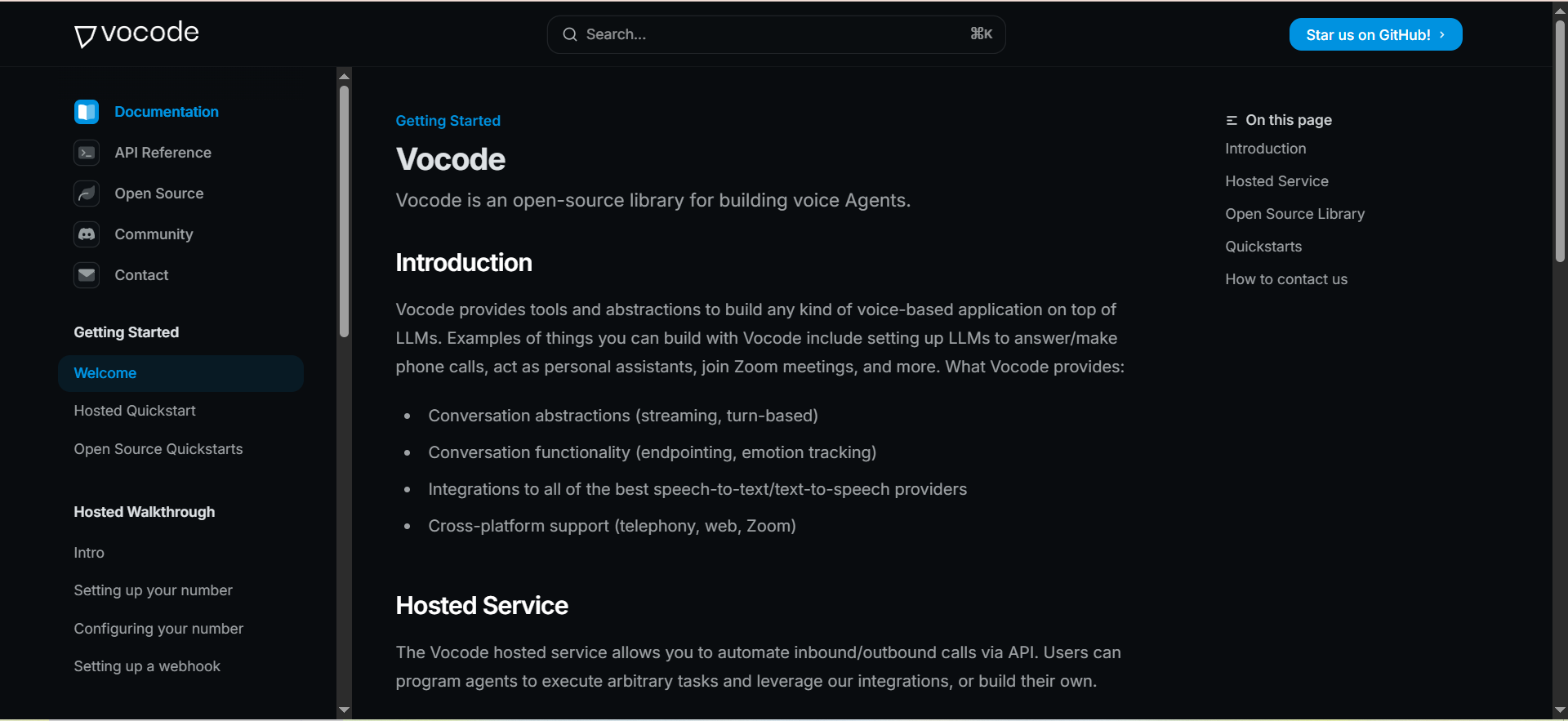
Vocode is an open-source framework for building, deploying, and scaling voice-based LLM agents. It provides the orchestration layer that connects your choice of speech-to-text, language model, and text-to-speech providers into a unified real-time voice pipeline, deployable to phone calls, web apps, Zoom meetings, and more.
Why teams use it
Teams choose Vocode because it gives them complete control over every layer of the voice stack. Unlike opinionated platforms that lock you into their STT/LLM/TTS providers, Vocode lets you swap any component - use Deepgram for STT, Claude for reasoning, and ElevenLabs for TTS, then switch to Whisper and GPT next quarter without rebuilding your agent.
What it's good for
Vocode is ideal for engineering teams that want to own their voice AI infrastructure end-to-end. It's strong for custom agent architectures that don't fit into pre-built templates, teams that need to optimize each pipeline component independently, companies with strict data residency requirements who want to self-host, and R&D teams experimenting with different model combinations.
When it's a good fit
Choose Vocode if you have an engineering team comfortable with Python and API integrations, you want to avoid vendor lock-in on any part of the voice stack, you need to self-host for compliance or cost reasons, or you're building a differentiated voice product where the agent logic itself is a competitive advantage you need full control over.
When it's not a good fit
Vocode requires real engineering effort to deploy and maintain. There's no drag-and-drop builder, no pre-built templates you can launch in 15 minutes, and no managed infrastructure handling scaling for you (unless you use their hosted API). If your team lacks Python developers or you need to be live this week, choose a managed platform instead.
How to use it
Clone the vocode-core repository from GitHub, install dependencies, configure your provider credentials (STT, LLM, TTS), define your agent's conversation logic in Python, and deploy. For phone calls, use the Vocode API (hosted service) to manage inbound/outbound calls via a simple REST interface. The documentation covers deployment to phone, web, and meeting platforms.
Key capabilities
Vocode's key capabilities include full open-source codebase (MIT license), modular architecture with swappable STT/LLM/TTS providers, real-time streaming conversations with configurable latency, deployment to phone calls, Zoom, web apps, and custom channels, hosted API for managed phone call automation (inbound + outbound), agent actions and integrations via custom Python functions, multilingual support (depends on chosen providers), and active GitHub community with regular updates.
Pricing
Vocode Core is completely free and open source:
- Self-hosted: Free (you pay only for your chosen STT, LLM, and TTS provider costs)
- Hosted API: Contact sales for pricing (manages telephony, scaling, and infrastructure)
Your total per-minute cost depends entirely on which providers you select. A typical stack (Deepgram STT + Claude/GPT + ElevenLabs TTS + Twilio telephony) runs approximately $0.10-$0.20/minute all-in, but you can optimize each component independently.
Free tier?
Yes. The entire open-source framework is free to use with no limitations. You only pay for the third-party providers you connect (LLM API costs, STT/TTS costs, telephony costs). The hosted API service has separate pricing.
Downsides / limitations
Requires meaningful engineering investment to deploy and maintain. No visual builder or no-code interface exists. You're responsible for scaling, monitoring, uptime, and debugging when self-hosting. The hosted API pricing is not publicly listed, requiring a sales conversation. Documentation, while good, assumes Python proficiency. Updates to the open-source repo may introduce breaking changes. No built-in analytics dashboard - you need to build or integrate your own monitoring.
How to Choose a Synthflow Alternative
Choosing the right Synthflow alternative depends on your technical resources, call volume, and primary use case. If you're a service business that just needs calls answered reliably, Goodcall gets you live in minutes with zero technical overhead. If your focus is sales with multi-channel follow-up, Thoughtly orchestrates voice, SMS, and email as a single journey. For teams that want voice as part of a broader AI operations layer, Lindy AI consolidates multiple tools under one platform. When latency and voice quality are non-negotiable requirements, Smallest delivers the fastest pipeline available. And for engineering teams that want full ownership and zero vendor lock-in, Vocode's open-source framework gives you complete control.
The key evaluation factors are latency (sub-300ms separates natural conversations from robotic ones), all-in pricing (watch for hidden costs from STT, LLM, TTS, and telephony fees stacking up), compliance (HIPAA and SOC 2 readiness matters for healthcare and enterprise), and integration depth (native CRM connections save significant workflow-building time).
What Makes Synthflow Difficult to Scale
Synthflow's recent shift to pay-as-you-go pricing at $0.15 to $0.24 per minute has frustrated teams running high call volumes. The per-minute model means costs fluctuate month-to-month, making budget planning difficult. Additionally, teams report latency issues on complex multi-turn conversations and limited customization options for advanced workflow logic.
For teams running 500+ calls per day, the unpredictable cost structure alone is often enough to trigger a platform evaluation. The alternatives listed above each address this differently - from flat monthly fees (Goodcall) to hybrid base-plus-usage models (Thoughtly) to pure infrastructure pricing (Smallest, Vocode) to credit-based systems (Lindy AI).
No-Code vs Developer-First Voice AI Platforms
The Synthflow alternatives market splits clearly into two camps. No-code voice agent platforms like Goodcall and Thoughtly let non-technical teams build and manage agents through visual interfaces - ideal for sales teams, agencies, and small businesses that need to move fast without engineering support. Developer-first platforms like Smallest and Vocode give engineering teams granular control over every component of the voice pipeline - STT provider, LLM, TTS engine, telephony layer - but require meaningful technical investment.
Lindy AI sits in the middle, offering both a no-code workflow builder and API access for custom integrations. This makes it the strongest option for teams that want to start simple and add complexity over time.
Voice AI Latency: Why It Matters for Conversion Rates
Latency in voice AI directly impacts whether callers stay engaged or hang up. Research consistently shows that response delays beyond 800ms make conversations feel unnatural, with drop-off rates increasing significantly past the 1-second mark. For sales calls specifically, every 100ms of additional latency correlates with lower appointment-booking rates.
Here's how the Synthflow alternatives compare on latency:
- Smallest: 64ms STT + ~100ms TTS (fastest available)
- Lindy AI (Gaia): Sub-second turn detection via Deepgram Flux
- Thoughtly: ~700ms average response time
- Goodcall: Moderate (exact figures not published)
- Vocode: Configurable (depends on your provider choices)
If you're running outbound sales or debt collection calls where completion rates directly impact revenue, prioritizing low-latency platforms like Smallest or Lindy pays for itself through higher connection and conversion rates.
Multi-Channel vs Voice-Only: Which Approach Wins
Pure voice platforms handle phone calls well but leave you building separate automations for SMS, email, and chat follow-up. Multi-channel platforms like Thoughtly treat all channels as one journey - if a prospect doesn't answer the call, the agent automatically pivots to text, then email, following a unified sequence.
For sales teams, multi-channel typically outperforms voice-only by 30-50% on contact rates because you're reaching prospects across their preferred channels rather than relying solely on them picking up the phone. For support teams, voice-only is often sufficient since customers who call typically want to speak with someone rather than receive a text.
Open Source Voice AI: Benefits and Trade-offs
Open-source platforms like Vocode offer three major advantages: zero vendor lock-in (swap any provider without rebuilding), full data control (self-host to meet any compliance requirement), and unlimited customization (modify any part of the voice AI pipeline). The trade-off is engineering investment - you need developers to deploy, maintain, and scale the system.
For startups with strong engineering teams building voice AI as a core product feature, open source is often the right call. For sales teams that need to be live by next Tuesday, managed platforms remove the operational burden entirely. The cost comparison is counterintuitive: open source is "free" but engineering time isn't, while managed platforms have monthly fees but zero maintenance overhead.
Compliance Considerations for Voice AI in 2026
Healthcare, finance, and enterprise buyers require specific compliance certifications before deploying voice AI. Here's the compliance landscape across Synthflow alternatives:
- SOC 2 Type II: Thoughtly, Smallest (enterprise), Lindy AI (enterprise)
- HIPAA: Thoughtly, Smallest (add-on at $1,000/mo or enterprise), Lindy AI (enterprise)
- GDPR: Smallest, Lindy AI
- On-Premise Deployment: Smallest (enterprise), Vocode (self-hosted)
If you're in a regulated industry, compliance support should be a hard filter in your evaluation. Platforms that offer on-premise deployment (Smallest, Vocode) give you the most control over data residency and processing.
How to Migrate from Synthflow to an Alternative
Migration from Synthflow to a new platform typically involves four steps. First, export your conversation flows and agent configurations - most Synthflow setups can be recreated in any platform's workflow builder within a day. Second, port your phone numbers - all platforms listed here support number porting via standard carrier transfer processes. Third, recreate your integrations - CRM connections, calendar bookings, and webhook triggers need to be reconfigured on the new platform. Fourth, run parallel testing - keep your Synthflow agents live on a subset of numbers while testing the new platform on others, then cut over once conversion rates match or exceed baseline.
The entire migration process typically takes 1-2 weeks for simple setups and 3-4 weeks for enterprise deployments with complex workflow logic.
Voice AI Pricing Models Explained
Understanding how each platform charges helps you estimate total cost of ownership:
Per-unique-caller (Goodcall): You pay based on how many different people call, regardless of call duration. Best for businesses with repeat callers and longer calls. Worst for businesses with many short one-time calls.
Hybrid base + per-minute (Thoughtly): A monthly base fee with included minutes, plus per-minute charges beyond the cap. Gives teams a predictable starting cost while scaling with usage. Best for teams with moderate, growing call volumes.
Credit-based (Lindy AI): Credits consumed per task, with voice adding per-minute charges on top. Most complex to predict but flexible across multiple use cases beyond just voice.
Pay-as-you-go per component (Smallest): You pay for exactly what you use - STT, TTS, and agent time separately. Best for developer teams that want to optimize each cost component. Requires monitoring to avoid bill surprises.
Open source + provider costs (Vocode): Zero platform fee, but you pay your chosen STT, LLM, TTS, and telephony providers directly. Total cost depends entirely on your provider selections and volume.
Best Synthflow Alternative for Agencies
Agencies managing voice AI for multiple clients need white-label capabilities, client-level reporting, and the ability to deploy many voice agents across different accounts without engineering each one from scratch.
Thoughtly is the strongest fit for agencies focused on sales - its multi-channel orchestration and CRM integrations work across client accounts, and the drag-and-drop builder lets you replicate proven flows for new clients quickly. Goodcall works for agencies serving local service businesses where the use case is simple inbound call handling. For agencies with developer resources that want to build a proprietary voice product on top of open infrastructure, Vocode provides the foundation without per-seat licensing eating into margins.
Best Synthflow Alternative for Startups
Early-stage startups need to validate voice AI use cases quickly without committing to enterprise contracts. The priority is speed-to-live, low initial cost, and the ability to scale if the experiment works.
Lindy AI's free tier (400 credits/month) and Smallest's $10 free credit offer let you test without any financial commitment. For startups with technical teams, Vocode's open-source framework costs nothing beyond provider API fees. Once validated, Smallest's pay-as-you-go model scales linearly without the step-function pricing jumps of subscription platforms.
Frequent Asked Questions
Vocode is the cheapest option since the core platform is free and open source - you only pay for the third-party providers you connect. For managed platforms, Smallest offers the lowest per-minute rates (STT at ~$0.005/min) with no monthly subscription required. Lindy AI's free tier provides 400 credits/month at no cost for light usage.
Smallest leads on latency with 64ms time-to-first-transcript on STT and approximately 100ms time-to-first-byte on TTS. This keeps the full agent pipeline well under the conversational threshold. Lindy AI's Gaia voice agent (powered by Deepgram Flux) offers sub-second turn detection as the next fastest managed option.
Yes. All platforms listed in this guide support standard phone number porting through carrier transfer processes. The porting typically takes 1-5 business days depending on your carrier. During migration, you can run both platforms in parallel on different numbers to ensure zero downtime.
Thoughtly offers native HIPAA certification included in their platform. Smallest provides HIPAA compliance as an add-on ($1,000/month) or included in enterprise plans. Lindy AI supports HIPAA on enterprise tier. For maximum data control, Vocode's self-hosted option lets you run the entire pipeline on your own HIPAA-compliant infrastructure.
Thoughtly is the strongest multi-channel option, orchestrating voice, SMS, iMessage, WhatsApp, and email as a single unified journey. Lindy AI offers voice plus email plus chat through its broader AI assistant capabilities. Goodcall, Smallest, and Vocode are primarily voice-focused platforms.
Goodcall requires the least technical knowledge - you can be live in under 10 minutes with zero code. Thoughtly's drag-and-drop builder lets non-technical users create agents in about 15 minutes. Both platforms handle all infrastructure, scaling, and maintenance without requiring engineering involvement.
Yes. Vocode is a fully open-source voice AI framework (MIT license) that lets you build custom voice agents with complete control over every component. You can self-host it, modify the code, and swap providers freely. The trade-off is that deployment and maintenance require Python developers.